RC Status Check Online: How to Verify Your Registration Certificate in 2026
Your vehicle’s Registration Certificate (RC) is its legal identity — and its status tells you whether that identity is currently valid. An expired or suspended RC can get your vehicle impounded, void your insurance claim, and kill a resale deal. The good news: an RC status check online takes less than a minute using just your vehicle number.
This guide shows you exactly how to check RC status on Parivahan, the mParivahan app, and even by SMS — plus what each status means and what to do if yours isn’t “Active.”
What Is RC Status?
RC status is the current legal standing of your vehicle’s Registration Certificate in the national VAHAN database (maintained by MoRTH). It is different from RC details (owner name, model, fuel type). Status answers one question: is this registration currently valid?
The four statuses you’ll see:
| Status | Meaning |
|---|---|
| Active | Registration is valid. You’re clear to drive. |
| Expired | The 15-year registration period (or renewal) has lapsed. Renewal required. |
| Suspended | Temporarily invalid — usually due to unpaid challans, violations, or RTO action. |
| Blacklisted / Cancelled | Serious cases: stolen vehicle record, court order, or scrapped vehicle. |
Why You Should Check RC Status Regularly
- Before buying a used car or bike — never pay for a vehicle with expired or suspended RC. (See our guide: Why RC Check Is Important Before Buying a Used Car)
- Insurance claims — insurers can reject claims on vehicles with invalid RC.
- Pending challans — heavy unpaid fines can trigger suspension.
- Resale value — buyers verify RC status first; an Active RC sells faster.
How to Check RC Status Online on Parivahan (Step-by-Step)
The official method uses the VAHAN National Register e-Services portal:
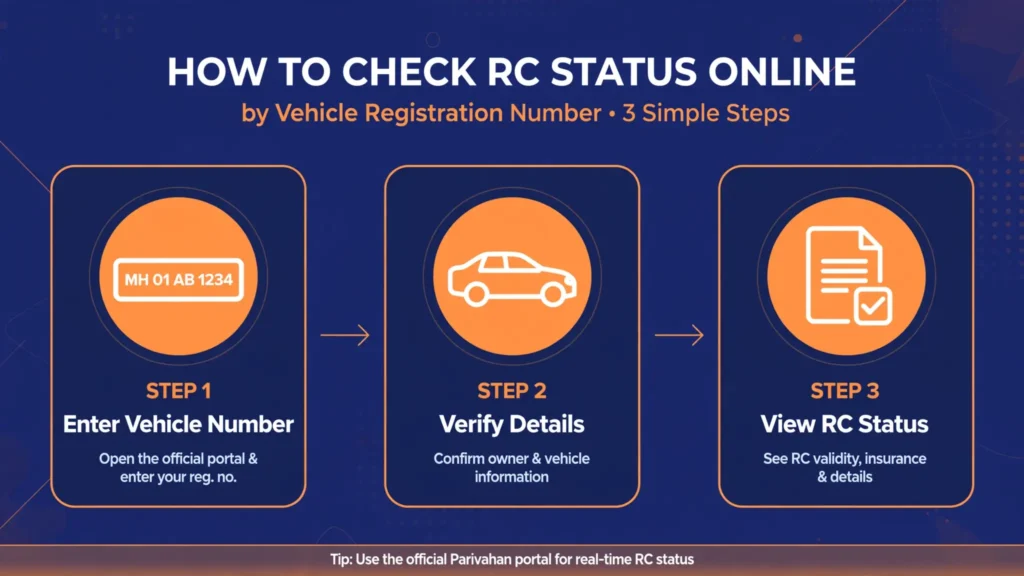
- Go to vahan.parivahan.gov.in/nrservices/.
- Create an account (first time) or sign in with your registered mobile number.
- Verify with the OTP sent to your phone and set your password.
- Click “Know Your Vehicle Details” in the top menu.
- Enter your vehicle registration number (e.g., DL01AB1234) and solve the captcha.
- Hit “Vahan Search.”
Your RC status (Active/Expired/Suspended) appears instantly, along with registration validity date, owner name (partially masked), vehicle class, fuel type, and insurance validity.
Cost: Free. Time: Under 60 seconds.
Check RC Status on the mParivahan App
Prefer your phone? The official NextGen mParivahan app (Google Play / App Store) does the same job:
- Install and open the app.
- Sign in with your mobile number and MPIN.
- Tap “RC Search” on the dashboard.
- Enter the vehicle number and search.
Bonus: you can save a digital RC in DigiLocker straight from the app — legally valid across India.
Check RC Status via SMS (No Internet Needed)
No data connection? Use the national SMS service:
VAHAN <Vehicle Number> → send to 07738299899
Example: VAHAN MH12AB1234. You’ll get an automated reply with basic RC details and status.
RC Status vs RC Details: What’s the Difference?
| RC Status | RC Details | |
|---|---|---|
| Answers | Is the RC valid right now? | What does the RC say? |
| Shows | Active / Expired / Suspended | Owner, model, chassis & engine no., RTO, tax, PUC |
| Use case | Quick validity check | Full verification before purchase |
Need the full picture? Read our complete guide: Check Vehicle Owner Details Online in India.
What to Do If Your RC Is Expired
- Visit parivahan.gov.in → Online Services → Vehicle Related Services.
- Select your state and RTO, then choose “Renewal of Registration” (Form 25).
- Enter registration, chassis, and engine numbers.
- Pay the applicable government fee (varies by vehicle class — check the live fee chart on Parivahan).
- Book a vehicle inspection at your RTO if required, then collect/download the renewed RC.
Tip: start renewal before expiry — driving on an expired RC invites fines and, worse, an invalid insurance policy.
What to Do If Your RC Is Suspended
Suspension is usually triggered by unpaid e-challans or an RTO violation notice. Steps:
- First, check and clear pending challans — pay them online via Parivahan.
- Visit your RTO with the payment receipts, original RC, insurance, and PUC.
- Apply for revocation of suspension; the RTO updates VAHAN once cleared.
Why Does RC Status Sometimes Show Wrong Information?
- Data lag: recently renewed RCs can take a few days to reflect.
- Ownership transfer pending: if Form 29/30 transfer isn’t complete, old details show.
- Typo in vehicle number: one wrong character = someone else’s record. Double-check.
If the error persists, raise it at your RTO with original documents, or file a correction request under Vehicle Related Services on Parivahan.
Follow these steps from the guide to check your RC status online, by app, or by SMS, and fix it if the status is expired or suspended.
Open the VAHAN e-Services portal
Go to vahan.parivahan.gov.in/nrservices/.
Sign in with your mobile number
Create an account if you are new, or sign in with your registered mobile number, verify with the OTP, and set your password.
Search your vehicle details
Click Know Your Vehicle Details in the top menu, enter your vehicle registration number, solve the captcha, and hit Vahan Search. Your RC status appears instantly, free, in under 60 seconds.
Check on the mParivahan app
Install the NextGen mParivahan app, sign in with your mobile number and MPIN, tap RC Search on the dashboard, and enter the vehicle number.
Check by SMS without internet
Send VAHAN <Vehicle Number> (for example, VAHAN MH12AB1234) to 07738299899. You will get an automated reply with basic RC details and status.
Renew an expired RC
Visit parivahan.gov.in, open Vehicle Related Services, select your state and RTO, choose Renewal of Registration (Form 25), enter your registration, chassis, and engine numbers, pay the applicable government fee, book a vehicle inspection if required, then collect or download the renewed RC.
Clear a suspended RC
Check and clear pending challans by paying them online via Parivahan, visit your RTO with the payment receipts, original RC, insurance, and PUC, and apply for revocation of suspension.
Frequently Asked Questions
How can I check RC status without chassis or engine number?
Just the vehicle registration number is enough on the VAHAN portal, mParivahan app, or via SMS. Chassis/engine numbers are only needed for services like duplicate RC download.
Is RC status check free?
Yes — checking RC status and basic details on Parivahan or mParivahan is completely free. Paid fees apply only to services like duplicate RC or renewal.
Can I check RC status for a vehicle from another state?
Yes. All RTOs feed into the central VAHAN 4.0 database, so any Indian-registered vehicle can be checked from one portal.
How long does a renewed RC take to show “Active”?
Usually 2–7 working days after the RTO approves renewal. If it takes longer, follow up with your RTO.
Does an expired RC affect insurance?
Yes. Most insurers require valid registration; claims on expired-RC vehicles can be reduced or rejected. Renew first, then claim.
Can I download my RC after checking status?
Yes — if your RC is Active, you can download a digital copy. See: How to Download RC Book Online in India and Duplicate RC Download.