Mizoram Vehicle Status Check: RC and Challan Status Online (2026)
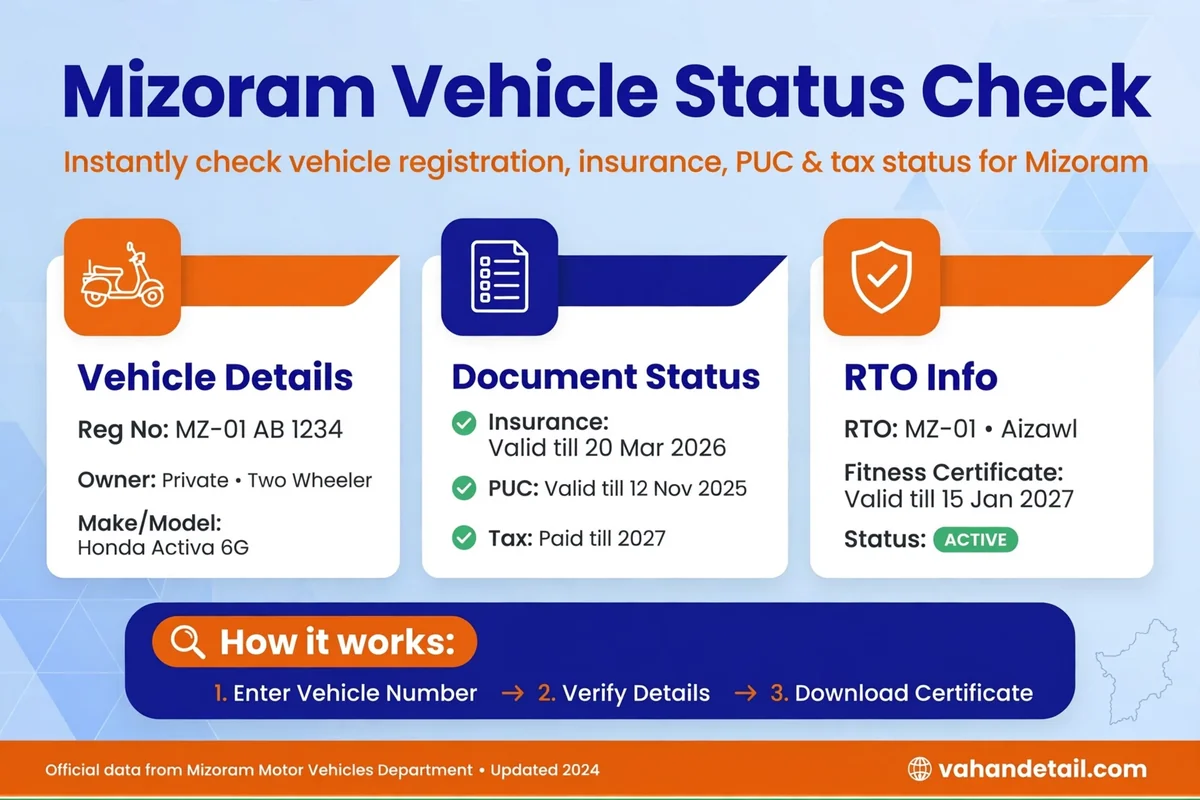
Mizoram registered vehicles can be checked online for RC status and pending challans through the national Parivahan portals, so owners in Aizawl and the districts rarely need to visit a District Transport Office just to confirm a record. The process is the same national flow used across India, and it works for any MZ series vehicle. This guide covers both checks, explains the result page, and tells you what to do when a detail does not match your documents.
The short version: Parivahan Sewa shows the RC record through Know Your Vehicle Details, and the eChallan portal shows challans. You need only the registration number, and both checks together take a few minutes.
Mizoram vehicle status at a glance
Mizoram number plates begin with the state code MZ. The Transport Department of the Government of Mizoram runs the system through nine District Transport Offices covering the districts, including Aizawl Urban with the MZ-01 series and Aizawl Rural with the MZ-09 series, alongside offices in Lunglei, Siaha, Champhai, Kolasib, Serchhip, Lawngtlai, and Mamit. The department’s portal is transport.mizoram.gov.in, and its online services connect to the national Parivahan system, which is where the checkable records are held. The Motor Vehicle Wing of the department handles road transport matters including registration and taxation rules, so the state setup is a little different in structure from bigger states, but the online status check is identical.
Run both checks, because they answer different questions. The RC check confirms the registration record and its linked validity dates for fitness, insurance, and tax. The challan check reveals unpaid traffic fines. A valid RC does not mean a clean challan record, and an unpaid challan can block a transfer or renewal, so neither check substitutes for the other.
How to check Mizoram RC status online
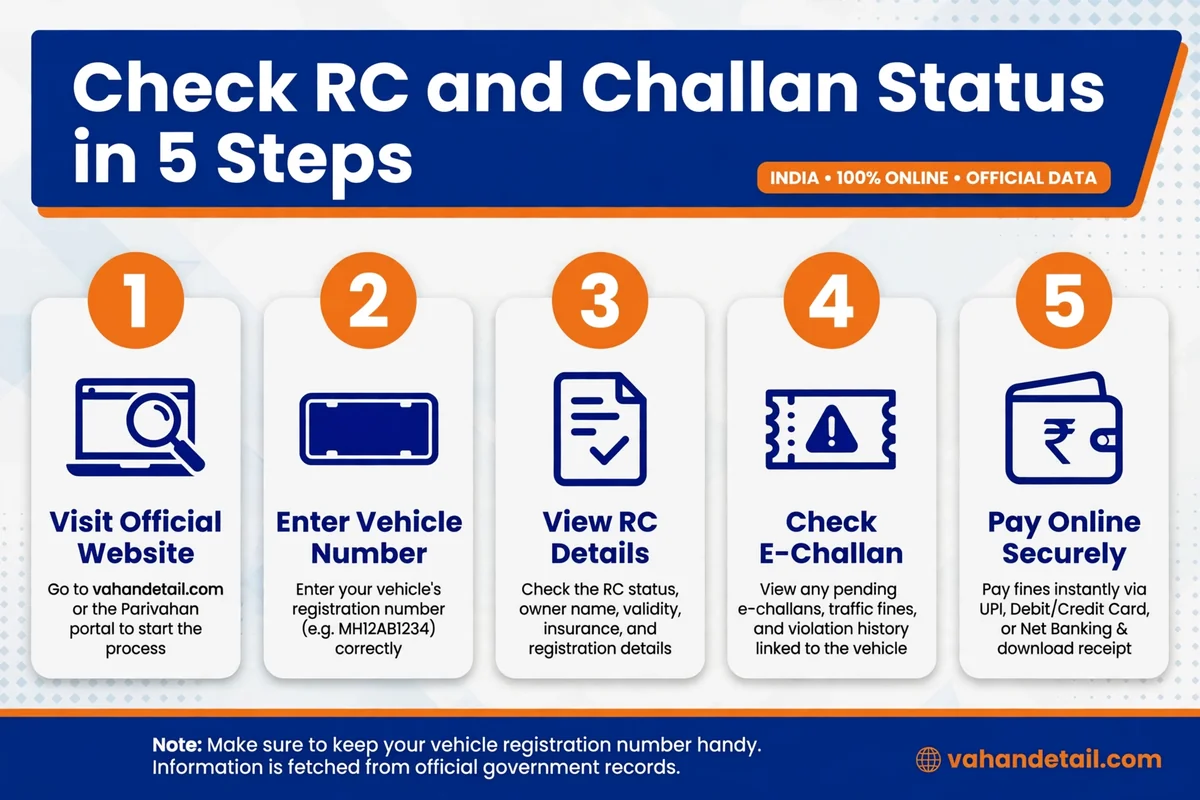
- Open the Parivahan Sewa portal at parivahan.gov.in and go to Online Services, then Vehicle Related Services.
- Select Know Your Vehicle Details.
- Enter your full registration number as printed on the RC, for example MZ 01 AB 1234.
- Complete the on screen verification and submit.
- Compare the result with your RC: registration number, vehicle class, fuel type, registration date, and the validity dates for fitness, insurance, and road tax.
The mParivahan app returns the same record on a phone. Enter the registration number and the app fetches the same Parivahan data, and it can store a digital RC and driving licence. Officers generally accept the digital copies, but the original documents are still the safest to carry.
Expect masking on the public result. The full owner name and parts of the chassis and engine numbers are hidden for privacy. That is normal. The complete record is available to the registered owner through the District Transport Office.
How to check Mizoram e-challan status online
- Open the eChallan portal at echallan.parivahan.gov.in and choose Check Challan Status.
- Search by challan number, vehicle number, or driving licence number.
- Complete the captcha and submit to view pending challans with violation, date, place, and amount.
- Pay any pending challan online from the same page using net banking, card, or UPI, and download the receipt immediately.
- Keep the receipt until the challan clears from the pending list, since the update can take a day or two.
Read the status wording. A pending challan is unpaid. A challan moved to virtual court follows the court process shown on the portal instead of the simple payment flow, and leaving it unresolved can hold up later services. Our guide to challan check online state-wise portals explains the same national system for other states, which helps if your household runs vehicles with different state plates.
Documents to keep ready
- Registration Certificate (RC), as a smart card or a digital copy in DigiLocker or mParivahan.
- Valid motor insurance policy, with its expiry date.
- Pollution Under Control (PUC) certificate, where applicable.
- Driving licence.
- For transport vehicles, fitness certificate and permit details.
No upload is needed for a basic check. These papers let you verify the portal output, and an expired insurance or fitness date on the record can itself attract a challan during checking. The general RC status check online guide explains each validity field in plain language.
What to do if something looks wrong
Most mismatches are timing. After a transfer, an address change, or an insurance renewal, the national database may need several days to update. Check again after a week. If the error persists, visit the District Transport Office that issued the RC with the original documents and the papers for the recent transaction, and request a correction.
For a challan you believe is wrong, note the challan number, date, place, and violation first, and check whether the vehicle was at that location on that date. If you want to contest it, use the option on the eChallan portal for the concerned authority or the virtual court. If the violation is yours and the amount is small, prompt payment is usually the cheapest outcome.
If no record appears at all, recheck the number you typed, since a single wrong character is the commonest cause. Older records that were never digitised are the other possibility, and only the District Transport Office can confirm those from its own registers.
When a visit to the DTO is still needed
Duplicate RC, transfer with a closed loan, and fitness inspection still need the District Transport Office. Carry originals plus photocopies of the RC, insurance, PUC, identity proof, and address proof, and keep the acknowledgement receipt for anything submitted. Before travelling, check the Parivahan vehicle services menu and the Mizoram transport portal, because many services are now completed online, and a visit is needed only for verification or inspection in some cases.
For the national process in full, see our Vahan status check online guide. For nearby states, the Jharkhand vehicle status check guide and the Assam vehicle status check guide show the same national process in neighbouring contexts.
Frequently asked questions
How do I check Mizoram vehicle RC status online?
What are the RTO codes for Aizawl?
How can I check a pending challan for a Mizoram registered vehicle?
Why are some details hidden on the RC status page?
My Mizoram vehicle record does not show on Parivahan. What should I do?
How to check Mizoram vehicle status: quick steps
- Open parivahan.gov.in and go to Vehicle Related Services.
- Select Know Your Vehicle Details and enter your MZ registration number.
- Check the RC summary, especially fitness, insurance, and tax validity dates.
- Open echallan.parivahan.gov.in and check challan status by vehicle, challan, or licence number.
- Pay any pending challan online and keep the receipt until the record clears.
- For any mismatch, wait a week for database updates, then visit the District Transport Office with original documents.
A regular Mizoram vehicle status check takes only a few minutes and prevents the usual surprises: an expired insurance date, a forgotten challan, or a transfer held up by a pending fine. Run the RC check and the challan check together, and keep both records clean.