How to Download E-Challan Payment Receipt Online (2026)
Paying a traffic challan is only half the job. Keeping proof of that payment is just as important, because the receipt is what protects you if the same challan is ever questioned later. The good news is that an e-challan payment receipt download is simple, and you can usually get it within minutes of paying. This guide shows you how to download it right after payment, how to retrieve it later if you closed the page too soon, what details to check on it, and what to do if it does not appear.
What Is an E-Challan Payment Receipt?
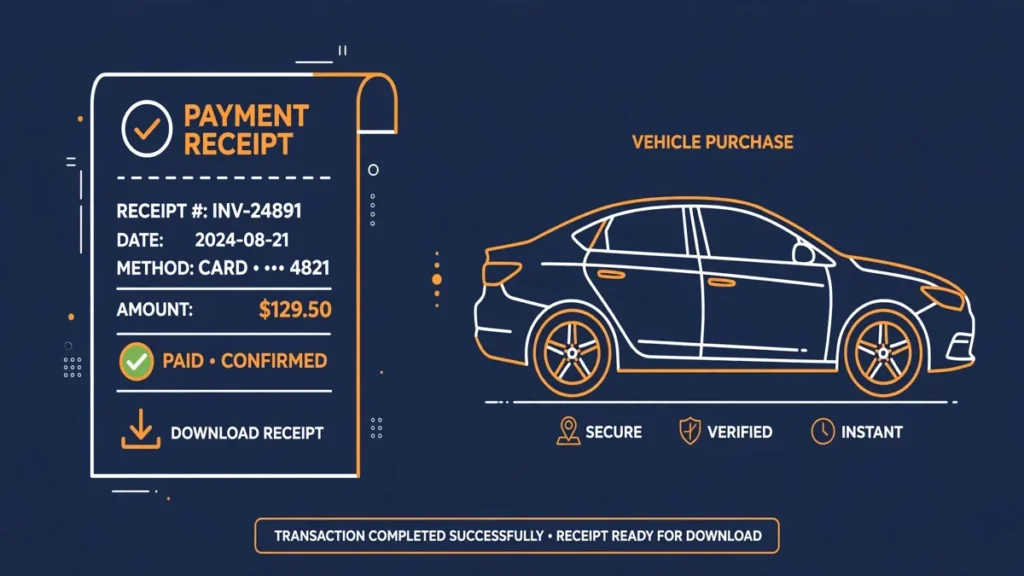
An e-challan payment receipt is the official record that a particular challan has been paid. It is generated after a successful payment on the e-Challan portal and confirms that the fine amount has been received against that challan.
Think of it as your payment proof. The challan itself shows the offence and the fine, while the receipt shows that you have settled it. If a traffic officer, an RTO office, a court, or an insurer ever asks about that challan, the receipt is the document that settles the question quickly.
You should save a copy of every challan receipt, even for small fines. A receipt takes only a few seconds to download, but it can save you a long argument later. Store it with your other vehicle documents, either as a PDF on your phone or as a printed copy in your vehicle file.
How to Download the Receipt Right After Payment
The easiest time to get your receipt is immediately after payment, while you are still on the confirmation screen. Do not close the browser tab until you have saved it.
Follow these steps:
- Pay your challan on the e-Challan portal using your preferred payment method.
- Wait for the payment confirmation screen to load fully. Do not press the back button or refresh the page while it is loading.
- Look for the download or print option on the confirmation screen.
- Click download to save the receipt as a PDF, or click print if you want a paper copy straight away.
- Check the downloaded file opens correctly before you close the tab.
- Save the file with a clear name, such as the challan number and the payment date, so you can find it later.
If you paid through a different route, such as a state transport portal or a payment app, the receipt may arrive by SMS or email instead, or it may be available in that app’s transaction history. In that case, save that confirmation too, and also check the e-Challan portal to confirm the challan shows as paid.
How to Retrieve a Receipt Later
Closed the confirmation page without downloading? Do not worry. You can usually retrieve the receipt later by searching for the challan again on the portal.
Here is the usual process:
- Open the e-Challan portal.
- Choose the option to check challan status.
- Search using your challan number, vehicle number, or driving licence number, whichever option the portal offers.
- Enter the captcha or verification code shown on the screen.
- Find your challan in the results and check that it shows a paid status.
- Open the challan details and look for the receipt, download, or print option.
- Download the receipt as a PDF and save it.
If the receipt option does not appear for an older challan, the challan details page itself, showing paid status, can still serve as supporting evidence. Take a screenshot of that page as well, and keep it with your bank payment confirmation.
For a full walkthrough of checking and paying a challan in the first place, see our guide on how to check and pay a traffic challan online via Parivahan.
E-Challan Payment Receipt Download: What Details to Check
An e-challan payment receipt download is only useful if the details on it are correct. Before you file it away, check each field carefully against your own records.
| Detail on the receipt | What to check |
|---|---|
| Challan number | Matches the challan you intended to pay. |
| Vehicle number | Matches your vehicle’s registration number. |
| Offence | Matches the offence shown on the original challan. |
| Fine amount | Matches the amount you actually paid. |
| Payment date and time | Matches the date you made the payment. |
| Transaction or reference number | Keep this safe, it helps trace the payment. |
| Payment status | Clearly shows the challan as paid. |
The transaction reference number deserves special attention. If a payment ever goes missing or a challan wrongly shows as unpaid, this number is what the bank and the portal support team will use to trace it. Note it down separately, not just inside the PDF, so you can quote it quickly if needed.
Also check the vehicle number very carefully. A single wrong character could mean you paid against the wrong record, and that is much easier to sort out on the same day than weeks later. If anything looks wrong, do not ignore it. Raise it through the portal’s support or grievance route promptly, with the receipt and bank proof in hand.
How to Save and Print Your Receipt Properly
A receipt that you cannot find when you need it is almost as bad as no receipt at all. A little organisation now will help a lot later.
First, save a PDF copy on your phone and, if possible, a second copy in cloud storage or on your computer. Phones get lost or replaced, so one copy in only one place is risky. Name the file clearly, for example with the challan number and date, rather than leaving a generic download name.
Second, print a copy if you regularly deal with RTO offices or courts, where a paper copy is still often expected. Keep it in the same folder as your registration certificate, insurance papers, and pollution certificate, so everything is together when you need it.
Third, keep your bank or payment app confirmation alongside the receipt. The two together make a very strong proof of payment: the bank statement shows money left your account, and the receipt shows it was credited against that specific challan.
Finally, if you paid more than one challan, save a separate receipt for each one. Do not rely on a single combined screenshot, because each challan is a separate record and may be checked separately.
Using the Receipt as Proof
Your receipt is useful in several everyday situations. Here are the most common ones:
- At an RTO office, when an old challan is flagged during a registration, transfer, or fitness related visit.
- In court, if a challan that you already paid is listed in a pending case or hearing notice.
- During a traffic stop, if an officer queries a challan that you believe you have settled.
- For insurance or vehicle sale purposes, when a buyer or insurer wants confirmation that fines are clear.
- In your own records, when you want to confirm that no unpaid challan is outstanding against your vehicle.
In each case, show the proof of payment receipt together with the challan number and, if asked, the bank transaction reference. Keep the original PDF untouched, and share copies rather than the only original. If an office asks to keep a copy, give them a photocopy and keep your original safe.
What to Do If the Receipt Is Missing
Sometimes the receipt does not appear, even though the payment seems to have gone through. Stay calm and work through the checks below in order.
- Wait a short while and check the challan status again. Portal and bank systems can take time to sync, and the status may update on a re-check.
- Search again using a different identifier, such as the challan number instead of the vehicle number, in case one search route updates before another.
- Check your bank account or payment app. Confirm whether the amount was actually debited, and note the bank reference number.
- If the money was debited but the challan still shows unpaid, do not pay the same challan again straight away. A second payment could create a duplicate payment problem that is harder to untangle.
- Keep both proofs safe: the bank debit message and any payment confirmation from the app or portal.
- If the status still does not update, use the portal’s grievance option or support channel to report the issue, quoting the challan number, vehicle number, payment date, amount, and bank reference number.
- While the matter is being resolved, keep checking the challan status from time to time, and save a screenshot each time you check.
If you need help understanding payment and refund status more broadly, read our guide on e-challan payment and refund status. It explains how payment status and refunds work, which is useful background if your receipt problem turns out to be a delayed or failed payment.
The exact time a status takes to update can vary, depending on the payment method and the systems involved, so check the portal status rather than assuming a fixed timeline. If a payment was genuinely deducted but never credited, the bank reference and the grievance record are your strongest tools for getting it traced.
If the Challan Itself Looks Wrong
A receipt problem and a wrong challan problem are two different things, and it helps to keep them separate. If the challan was issued for a vehicle, location, or offence that does not match your case, downloading the receipt does not fix the underlying dispute.
In that situation, do not simply pay and hope for the best. Gather your evidence first, such as the challan details, your vehicle documents, and any proof that the challan is incorrect, and follow the dispute process. Our guide on how to dispute a wrong e-challan on Parivahan walks through that process step by step.
If you have already paid a challan that you later believe was wrong, keep the receipt safe in any case. It proves what was paid and when, and it will be part of any refund or correction request you make later.
Common Mistakes to Avoid
A few simple mistakes cause most receipt problems. Avoid these and the process stays smooth:
- Closing the confirmation page before downloading the receipt.
- Saving the receipt only as a screenshot of a half loaded page, instead of the proper PDF.
- Forgetting to check the vehicle number and challan number on the receipt.
- Paying the same challan twice because the first payment had not updated yet.
- Deleting the bank payment message before the challan status has confirmed as paid.
- Sharing your receipt publicly, since it contains your vehicle and transaction details.
Treat the receipt like any other important vehicle document. A few seconds of care at payment time can prevent weeks of follow up later.
You can find all of these services through the Parivahan portal, which links to the national vehicle and challan services. Bookmark the e-Challan portal as well, so you can return quickly whenever you need to check a status or retrieve a receipt.
Frequently Asked Questions
Can I download my e-challan payment receipt after closing the payment page?
Yes, in most cases. Search for the challan again on the e-Challan portal using your challan number or vehicle number, open the challan details once it shows as paid, and use the download or print option there. If the receipt option is not visible, a screenshot of the paid challan details plus your bank confirmation is useful supporting proof.
What details should I check on the receipt before saving it?
Check the challan number, vehicle number, offence, fine amount, payment date, transaction or reference number, and payment status. All of these should match your own records and the original challan. If the vehicle number or amount is wrong, raise it promptly through the portal’s support or grievance route.
How do I save the receipt as a PDF?
Use the download option on the payment confirmation screen or on the challan details page, and save the file as a PDF on your phone or computer. Give it a clear name using the challan number and payment date, and keep a second copy in cloud storage or on another device so it is not lost if your phone is replaced.
My payment was deducted but the challan still shows unpaid. What should I do?
Wait a short while and re-check the status, because bank and portal systems can take time to sync. Note your bank reference number and keep the bank debit proof safe. Do not pay the same challan again straight away, as that can create a duplicate payment. If the status still does not update, report it through the portal’s grievance or support channel with the challan number, amount, payment date, and bank reference.
Can I use the receipt as proof at the RTO or in court?
Yes. The receipt, together with the challan number and bank transaction reference, is the standard proof that a particular challan has been paid. Keep the original PDF safe, share copies when an office asks for one, and carry a printed copy if you are visiting an RTO office or attending a hearing in person.
What if I paid the wrong challan by mistake?
Keep the receipt and the bank proof, and do not ignore the error. Check whether the challan can be disputed or corrected through the portal’s grievance process, and follow the dispute route with your evidence ready. The receipt proves exactly what was paid and when, which is essential for any correction or refund request.
Pay the challan
Pay your challan on the e-Challan portal using your preferred payment method.
Wait for payment confirmation
Wait for the payment confirmation screen to load fully without pressing back or refreshing.
Download or print the receipt
Use the download or print option on the confirmation screen to save the receipt as a PDF.
Check the receipt details
Check the challan number, vehicle number, offence, amount, payment date and transaction reference.
Save copies safely
Save a PDF copy on your phone and a second copy in cloud storage, and print a copy if needed.
Retrieve later if needed
If you closed the page, search for the challan again on the portal and download the receipt from its paid details.