Telangana Duplicate Driving Licence Online: Lost DL Guide
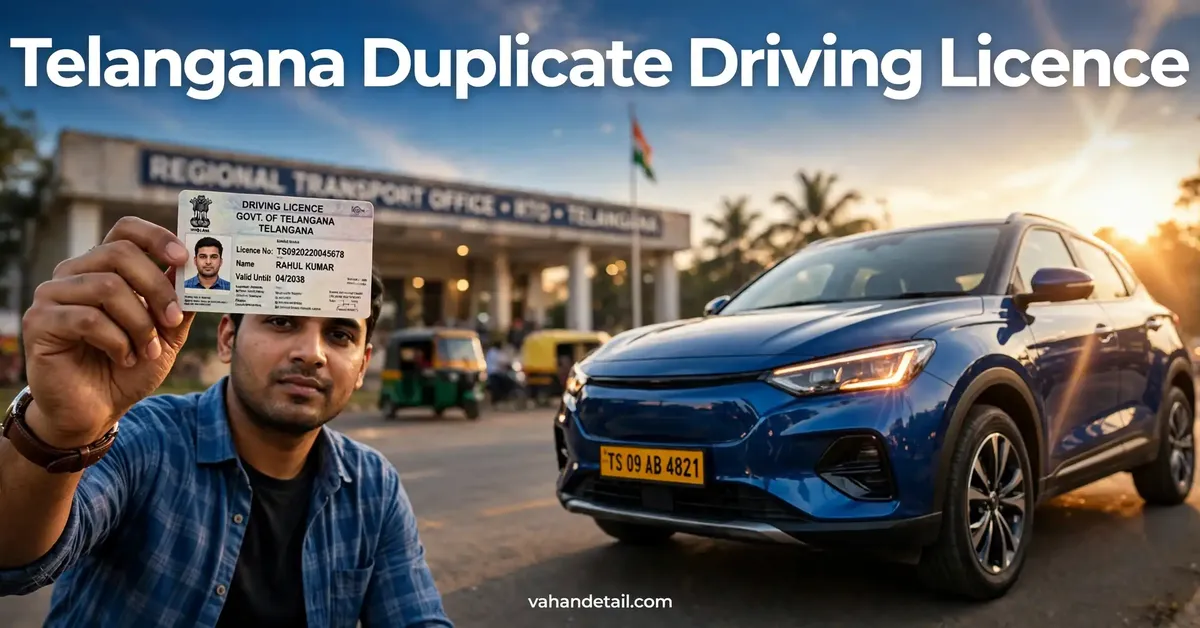
If you have lost your driving licence in Telangana, or your licence card is so damaged that it can no longer be read, you can apply for a Telangana duplicate driving licence online instead of visiting an RTO in person for every step. A duplicate licence carries the same licence number and validity as your original licence, and it is issued after your details are verified against the official record. This guide explains who can apply, which documents you need, the step by step online process, and how to track your application until the new card reaches you.
When Should You Apply for a Duplicate Driving Licence?
You should apply for a duplicate licence in two main situations. The first is when your licence is lost or stolen and you cannot find it after a reasonable search. The second is when your licence card is damaged, for example if the photo, text, or chip area is worn out, torn, or faded to the point where it is hard to verify.
A duplicate licence is not the same as a renewal. Renewal extends the validity of a licence that is about to expire or has already expired, while a duplicate simply replaces the physical card for a licence that is still valid. If your licence has also expired, check the renewal rules on the official portal before you apply, because you may need to complete renewal steps as well. If you are unsure about the current status of your licence, a Telangana vehicle status check on a related service page can help you confirm which records are linked to your vehicle, and a vehicle registration details check can help you confirm your vehicle record before you start.
Documents You Will Need
Keeping your documents ready before you begin makes the online form much quicker to complete. You will usually need your original licence details, because the system has to match your application to the existing licence record. If you do not remember the number, look for an old photocopy, a photo of the card, or any earlier acknowledgement you received when the licence was issued.
You will also need a valid identity proof and an address proof, especially if your address has changed since the licence was issued. A recent passport size photograph and your signature image may be required for the new card, so keep clear scanned copies ready in the format the portal asks for. In cases where a licence was stolen or lost, the portal or the RTO may ask for a police report or a written declaration, so check the instructions shown for your specific case before submitting.
Here are the items most applicants keep ready:
- Original driving licence number and date of birth as recorded on the licence
- Valid identity proof, such as Aadhaar, passport, or voter ID
- Address proof if your current address differs from the licence record
- Recent passport size photograph and signature image in the required format
- Any police report or declaration, if the portal asks for it for a lost licence
Having these ready avoids the most common delay, which is an application held back because a document is unclear or does not match the existing record.
How to Apply for a Telangana Duplicate Driving Licence Online

Follow these steps in order, and save or note down every reference number you receive along the way. The exact screens may change slightly as portals are updated, but the overall flow stays the same.
- Open the Sarathi portal, which is the national driving licence services portal, and select Telangana as your state.
- Choose the driving licence related service for a duplicate licence, sometimes shown as issue of a duplicate driving licence.
- Enter your driving licence number and date of birth, then confirm that the details shown match your original licence record.
- Fill in the application form carefully, including your current address, mobile number, and the reason for applying, such as lost or damaged.
- Upload the required documents, photograph, and signature in the formats and sizes shown on the portal.
- Pay the application fee shown on the portal, if a fee applies to your case, and save the payment receipt.
- Book an appointment or visit the RTO only if the portal asks you to do so for verification, and carry your original documents for that visit.
- Submit the application and note down your application reference number for tracking.
After submission, your application goes through RTO verification against the licence database. If any detail does not match, the portal or the RTO may raise a query, so check your application status regularly and respond promptly if anything is requested. You can also visit the Telangana transport portal for state level transport services and information while your application is being processed.
Fees and Processing Time
Fees for a duplicate licence can vary by licence category and by changes in official fee schedules, so always check the current value on the official portal at the time you apply rather than relying on older articles or social media posts. The table below shows what to verify before you pay.
| Service item | What to check on the official portal |
|---|---|
| Duplicate licence application fee | Current fee for your licence category |
| Any additional service or card charges | Whether an extra charge applies to your case |
| Payment methods accepted | Online payment options shown at checkout |
| Expected processing time | Current timeline shown after submission |
Processing time also varies. Verification is usually quick when your records match cleanly, but applications with mismatched details, unclear documents, or a pending RTO query can take longer. Your application reference number is the key to tracking progress, so keep it safe until the new card is in your hand.
How to Track Your Application
Tracking is done through the same portal where you applied. Enter your application reference number and date of birth on the application status page to see the current stage of your request, as shown in the official record. The status will show whether your application is under scrutiny, approved, pending at the RTO, or already dispatched.
If the status shows an objection or a request for documents, read the remark carefully and upload exactly what is asked for. Many delays happen because applicants upload a different document from the one requested, or upload a blurry scan. If the status does not change for a long time and no query is shown, you can contact the concerned RTO with your reference number and ask for an update.
Once approved, the duplicate licence card is usually dispatched to your recorded address. Make sure someone is available to receive it, and check that the name, licence number, and validity printed on the new card match your original licence. If you spot an error, report it to the RTO promptly so it can be corrected.
What to Do If You Find Your Old Licence Later
Finding your old licence after a duplicate licence has been issued can be confusing, but the rule is simple. Use only the newest card, the duplicate licence, and do not continue using the old one for identification or driving purposes. The old card should be treated as superseded once the duplicate is issued.
If you find the old licence before the duplicate is issued, inform the RTO or update your application as per the instructions on the portal, because proceeding with both could create a record mismatch. If you had reported the licence as stolen, you may also need to inform the police station where the report was made, so the record can be closed properly.
Common Mistakes to Avoid
A few avoidable errors cause most duplicate licence delays, so it is worth checking your application against this list before you submit.
- Entering a licence number or date of birth that does not match the original record
- Uploading a blurry photograph, a cropped document, or a file in the wrong format
- Using an old address when you have actually moved, without updating the address proof
- Paying through an unofficial website instead of the official Parivahan portal or the state transport portal
- Ignoring a status query for weeks and then wondering why the application has stalled
Taking five extra minutes to verify each field before submission can save weeks of follow up later. If you are ever unsure whether a website is genuine, go to the official portal directly rather than clicking a link from an advertisement or an unknown message.
Is a duplicate driving licence valid for the same period as the original?
Yes, a duplicate licence normally carries the same licence number and the same validity as the original licence. It replaces the card, it does not extend the validity period on its own.
Do I need a police report to apply for a lost driving licence in Telangana?
A police report or a written declaration may be asked for in some lost or stolen cases. Check the instructions shown on the portal for your case, and keep a copy of any report you file.
Can I drive while my duplicate licence application is pending?
You should carry proof of your application, such as the acknowledgement and reference number, along with another valid identity proof. If you are stopped, officers will verify your licence status from the official record, so keep your acknowledgement handy.
How long does it take to receive the duplicate licence card?
The time varies with verification and dispatch. Track your application with your reference number, and respond quickly to any query raised by the RTO to avoid delays.
What should I do if my duplicate licence has a printing error?
Report the error to the concerned RTO as soon as you notice it, with your licence number and a copy of the card, so the correction can be processed.
Follow these steps to apply for a Telangana duplicate driving licence online.
Step 1
Open the Sarathi portal, which is the national driving licence services portal, and select Telangana as your state.
Step 2
Choose the driving licence related service for a duplicate licence, sometimes shown as issue of a duplicate driving licence.
Step 3
Enter your driving licence number and date of birth, then confirm that the details shown match your original licence record.
Step 4
Fill in the application form carefully, including your current address, mobile number, and the reason for applying, such as lost or damaged.
Step 5
Upload the required documents, photograph, and signature in the formats and sizes shown on the portal.
Step 6
Pay the application fee shown on the portal, if a fee applies to your case, and save the payment receipt.
Step 7
Book an appointment or visit the RTO only if the portal asks you to do so for verification, and carry your original documents for that visit.
Step 8
Submit the application and note down your application reference number for tracking.