Telangana LLR Slot Booking Online: Learner Test Appointment
Telangana LLR slot booking lets you book your learner licence test appointment online, so you can choose the date, time, and RTO for the learner test instead of waiting at a counter. Open the Sarathi portal, select Telangana, open the slot booking option for learner licence tests, enter your application number, pick an available slot, and download your appointment slip. This guide explains the booking, the documents to carry, and how to reschedule if your plans change.
What Telangana LLR Slot Booking Means
An LLR slot is a booked appointment for the learner licence test, which is the first test in the driving licence process in Telangana. The learner licence, often called LLR, is a provisional licence that allows you to learn driving under supervision, and you must pass the learner test before you can get it. The slot booking is the step that gives you a test date at your chosen RTO, and without a booked slot you cannot take the learner test, because test slots are limited and the RTO plans its test sessions around the bookings.
The learner test is a computer based test of your knowledge of road signs, traffic rules, and safe driving practices. You answer multiple choice questions on a computer at the RTO, and the result is shown at once. If you pass, the learner licence is issued, and you can then learn driving and later apply for a permanent driving licence. If you fail, you can book a fresh test slot after the waiting period shown on the portal.
LLR slot booking is different from DL slot booking. An LLR slot is for the learner test, taken before you hold any licence, while a DL slot is for the final driving test, taken after you hold a learner licence. Do not book the wrong slot, because the RTO cannot convert a learner test appointment into a driving test on the day. For vehicle related records, our guide on Telangana vehicle status check explains how vehicle applications are tracked separately.
Who Can Book an LLR Test Slot
You can book an LLR test slot in Telangana when you meet the basic conditions for a learner licence. Check each one before you try to book, because the portal will not offer a slot if the application is incomplete.
- You have completed the learner licence application on the Sarathi portal, with your personal details, address, and vehicle class.
- You have paid the fee shown on the portal for the learner licence application.
- You meet the minimum age for the vehicle class, which is generally 16 years for a two wheeler without gear with parental consent, and 18 years for other vehicle classes.
- You have a valid address proof and identity proof in the name shown on the application.
- You have a medical certificate where the rules require one, for example for transport vehicle categories or for applicants above the prescribed age.
- Your application number is ready, because the slot booking needs it to find your record.
If you have not yet submitted the learner licence application, book the slot only after the application is complete. The slot booking step follows the application, it does not replace it. If your application was submitted at an RTO counter, the acknowledgement receipt carries the application number you need for the booking.
How to Book a Telangana LLR Slot Online
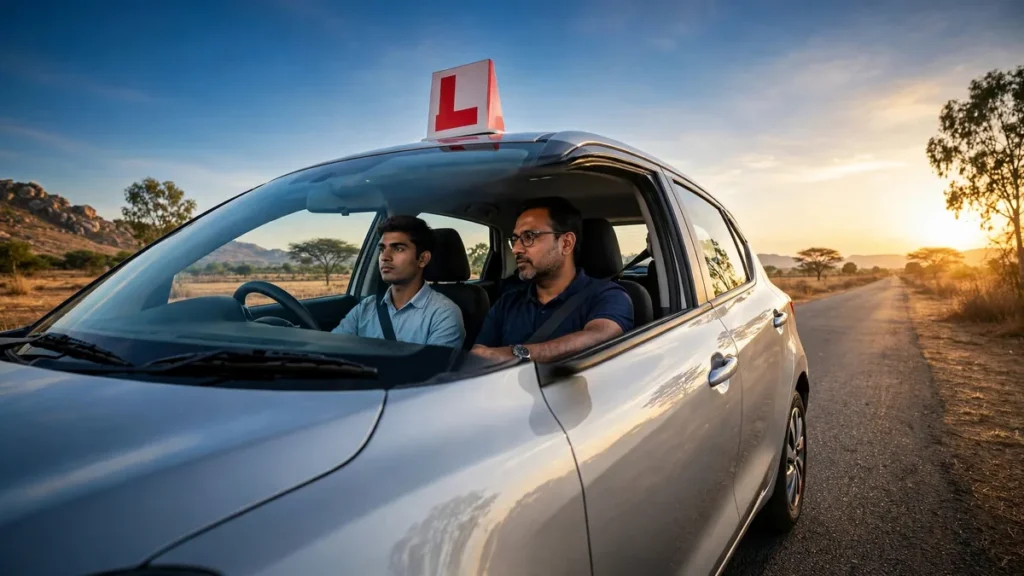
Book the slot on the official Sarathi portal. The steps below follow the real flow, and the process takes only a few minutes when your application number is ready.
- Open the Sarathi portal and select Telangana as your state.
- Click the option for slot booking, usually shown as Appointments or LL Test Slot Booking.
- Choose the service for a learner licence test, and enter your application number.
- Enter your date of birth and complete the captcha, then submit the details.
- The portal shows your application details. Confirm the name, the vehicle class, and the RTO.
- Choose your preferred RTO if the portal offers a choice, then look at the calendar of available dates.
- Pick a date and a time slot that suits you. Morning slots fill fastest, so check nearby dates if your first choice is full.
- Confirm the booking and download the appointment slip.
- Save the appointment slip on your phone and take a printout as well, because you must carry it to the test.
The appointment slip is your proof of booking. It shows your name, application number, vehicle class, RTO name, test date, reporting time, and the service type. Check every detail on the slip as soon as you download it. If the RTO name or the date is wrong, cancel or reschedule the slot and book again rather than turning up at the wrong office on the wrong day.
Documents to Carry on Learner Test Day
Carry originals, not only photocopies, because the RTO verifies the originals before the test. Keep them in a folder the night before so nothing is forgotten in the morning rush.
| Document | Why it is needed | Tip |
|---|---|---|
| Appointment slip | Proves your learner test booking | Print it, and keep a copy on your phone |
| Application acknowledgement | Links your test to your application | Keep the Sarathi receipt with you |
| Identity proof | Confirms your identity at the RTO | Aadhaar or another accepted ID |
| Address proof | Confirms the address on your application | Same address as the application |
| Age proof | Confirms you meet the minimum age | Birth certificate, school certificate, or Aadhaar |
| Medical certificate | Required for some categories | Carry it where the rules require one |
| Fee payment receipt | Proves the learner licence fee was paid | Keep the online receipt safe |
Arrive at the RTO at least 30 minutes before the reporting time on your slip. Late arrival can mean the loss of the slot, because the test batch is called in order and the test centre may not wait for a late candidate. Bring a pen if you need one for a form, and keep your phone charged, because you may need to show the appointment slip or an OTP on the day.
LLR Test Fees and What to Check on the Portal
The fee for a learner licence is shown on the Sarathi portal during the application flow. The fee can vary by vehicle class and by the services included in your application, and it is revised by the government from time to time, so do not rely on a fee quoted by a friend or a driving school. Check the current fee on the portal at the time you apply, and pay only through the official payment page.
If the portal shows a fee due at the time of slot booking, pay it online and keep the receipt. If you have already paid the fee with your application, the portal will show the slot as booked without a fresh payment. Never pay a learner test fee in cash to an individual outside the official counter, and never pay through a link sent by SMS or a message from an unknown number. The only safe payment is the one made on the official portal or at the authorised RTO counter, with a receipt in your name.
For a general check of your vehicle papers before you start learning to drive, a vehicle registration details check confirms the registration and insurance details of the vehicle you plan to practise on. A learner must practise only in a vehicle with valid insurance and papers, and only under the supervision of a person who holds a valid driving licence for that class.
How to Reschedule or Cancel an LLR Slot
Plans change, and the portal allows you to move a booked learner test slot in most cases. Reschedule as soon as you know you cannot attend, because a slot you simply miss is wasted, and you will have to book again and wait for the next available date.
- Open the Sarathi portal, select Telangana, and open the slot booking or appointment section.
- Choose the option to modify, reschedule, or cancel an appointment.
- Enter your application number and your date of birth.
- The portal shows your current booking. Choose the reschedule option.
- Pick a new date and time from the available slots and confirm the change.
- Download the new appointment slip and check that the old date has been replaced.
Rescheduling may be limited to a certain number of times, and a fresh booking may be needed after a missed test, depending on the rules in force. Check the conditions shown on the portal before you confirm a change, and keep the new slip as your only valid appointment. The old slip is no longer valid once you reschedule, so do not carry the old printout by mistake.
What Happens on Learner Test Day
Knowing the test day flow removes the nervousness that causes many candidates to lose marks on simple questions. The day usually follows the same order at most Telangana RTOs.
First, report at the RTO at the time on your slip and join the verification queue. An officer checks your appointment slip, application acknowledgement, and identity proof, and confirms your application on the system. Next, you are directed to the test centre, where you sit at a computer and answer the learner test. The test is a set of multiple choice questions on road signs, traffic rules, and safe driving, and you must score the minimum marks shown on the screen to pass. The result appears at once, and if you pass, the learner licence is issued and you are told how to collect or download it.
Prepare for the test by studying the road signs and the basic traffic rules, not by guessing on the day. Learn the meaning of mandatory signs, cautionary signs, and informatory signs, and learn the rules for junctions, overtaking, speed limits, and pedestrian crossings. Practise with a mock test if the portal or a study guide offers one, because familiarity with the question format helps you answer calmly. If you fail, the portal shows the result, and you can book a fresh test slot after the waiting period. A failed learner test is common, and many candidates pass on the second attempt after a little more study.
Common LLR Slot Booking Problems and Fixes
- No slots available.: Try nearby dates, check early in the morning when new slots open, or try a neighbouring RTO if the portal allows a choice. Slots fill quickly in Hyderabad, so book as soon as your application is complete.
- Portal does not accept the application number.: Check the number digit by digit, confirm you selected Telangana, and confirm the application was submitted on the Sarathi portal. An application number from a different service will not work for LLR booking.
- Application not found.: Confirm you completed the learner licence application first. Slot booking works only after the application exists on the portal.
- Payment deducted but slot not booked.: Keep the transaction ID, wait a short time, and check the booking status again. If the slot is still not shown, contact the RTO with the payment receipt.
- Wrong RTO selected.: Cancel or reschedule the booking and choose the correct RTO. Do not travel to the wrong RTO and hope the test can be moved on the spot.
- Appointment slip not downloading.: Try a different browser, check your downloads folder, and reprint the slip from the appointment section using your application number.
If the portal is slow or shows an error, wait and try again later in the day rather than paying through an unofficial site. The Telangana transport portal and the Parivahan portal are the official sources for licence and vehicle services, and they never ask for an OTP over a phone call.
Tips to Pass the Learner Test on the First Attempt
Study the road signs until you can recognise each one at a glance, because sign questions form a large part of the test. Learn the rules that protect pedestrians, cyclists, and other road users, and learn what to do at a junction, at a railway crossing, and in low visibility. Read the learner guide or handbook for your state, and take a mock test the day before your appointment so the format feels familiar.
On test day, arrive early, stay calm, and read each question fully before you answer. Do not rush, because the test gives you enough time for each question, and a hurried guess is the most common reason for a avoidable failure. If you are unsure about a question, think about what a safe driver would do in that situation, because the correct answer is usually the safest option. After you pass, keep the learner licence safe, note its validity dates, and start learning to drive under supervision so you are ready for the driving test when the waiting period ends.
How do I book a Telangana LLR test slot online?
Open the Sarathi portal, select Telangana, open LLR slot booking, enter your application number and date of birth, choose an available date and time, confirm the booking, and download the appointment slip.
What do I need to book an LLR slot in Telangana?
You need a completed learner licence application on Sarathi, your application number, your date of birth, and valid identity and address proof. The fee shown on the portal must be paid with the application.
Can I reschedule my Telangana LLR test slot?
Yes, in most cases you can reschedule from the appointment section of the Sarathi portal by entering your application number, choosing a new date, and downloading the new appointment slip.
What documents should I carry for the learner test?
Carry the appointment slip, the application acknowledgement, identity proof, address proof, age proof, the fee receipt, and a medical certificate where required.
What is the fee for an LLR test slot in Telangana?
The fee is shown on the Sarathi portal during the application and varies by vehicle class and the services in your application. Check the current fee on the portal at the time you apply, and pay only through the official payment page.
What happens if I fail the learner test?
You can book a fresh test slot after the waiting period shown on the portal. Study the road signs and traffic rules again, take a mock test, and try again. A failed test does not cancel your application.
Book the slot on the official Sarathi portal. The steps below follow the real flow, and the process takes only a few minutes when your application number is ready.