How to Check Hypothecation Status of a Vehicle Online (2026)
You can check hypothecation status of a vehicle online in a few minutes on the VAHAN portal, and the result tells you whether a bank or financier still has a recorded interest in the vehicle. If the record shows a financier name, the vehicle has an active loan against it, which matters enormously whether you are buying, selling, or closing a loan of your own.
This guide explains what hypothecation means, the exact steps to check it on VAHAN, how to read the result, and what to do if a closed loan still shows up on the record.
What Hypothecation Means for a Vehicle Owner
When you buy a vehicle on loan, the lender’s interest is recorded on the Registration Certificate as hypothecation. It means the financier has a legal claim on the vehicle until the loan is fully repaid. The vehicle stays in your name and you use it normally, but you cannot cleanly sell or transfer it while the hypothecation entry remains, because the RTO record still shows the lender’s interest.
Once the loan is repaid, the lender issues a No Objection Certificate (NOC) and the hypothecation entry is removed from the RC through Form 35. Until that removal is processed, the VAHAN record keeps showing the financier name, even if you have paid every EMI. That is why the check matters, and why our guide on how to remove hypothecation from RC online pairs with this one.
How to Check Hypothecation Status on VAHAN
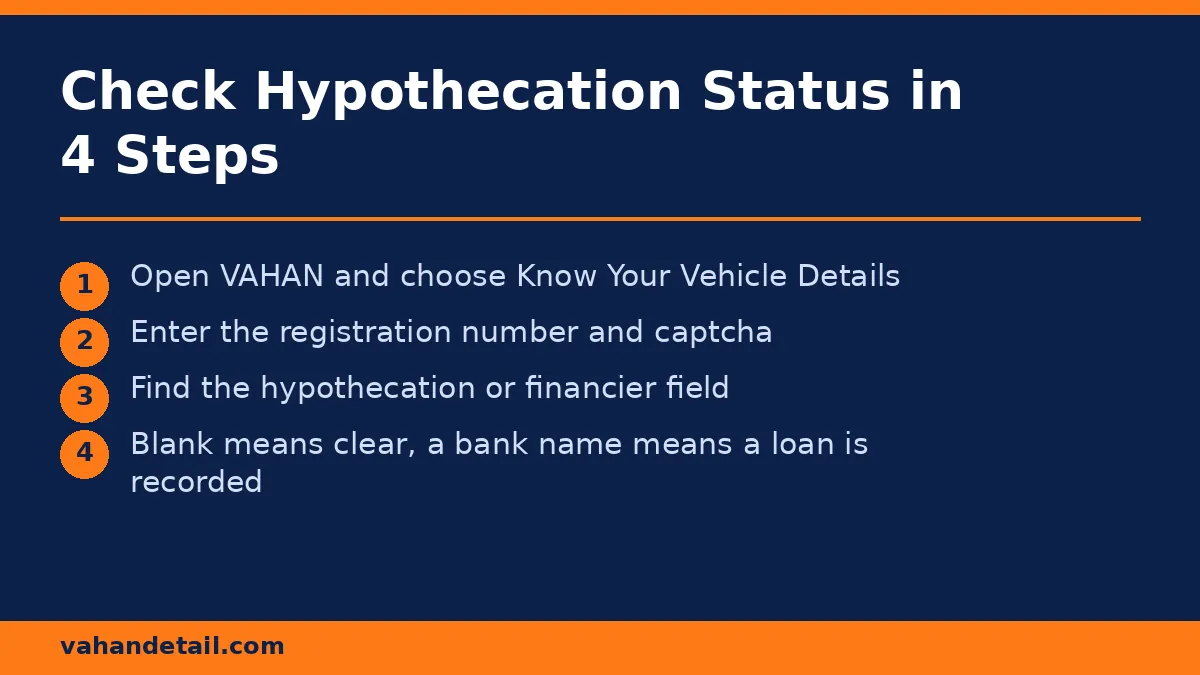
The hypothecation field is part of the standard vehicle record on the VAHAN portal, so there is no separate hypothecation portal. Follow these steps:
- Open the VAHAN portal at https://vahan.parivahan.gov.in and select “Know Your Vehicle Details” from the online services menu.
- Enter the full vehicle registration number exactly as printed on the number plate.
- Complete the captcha and submit the form.
- On the vehicle details screen, look for the “Hypothecation” field (shown as “Financier” on some records). If it is blank or shows “NA”, no financier interest is recorded. If it shows a bank or finance company name, the vehicle is hypothecated to that lender.
The same record also shows registration date, vehicle class, insurance validity, PUC validity, fitness validity, and any pending challans, so it doubles as a full pre-purchase check. For the complete checklist, see our RC status check online guide and our vehicle registration details check online guide, which explains every field on the record.
What Each Result Means
| What the record shows | What it means | What to do |
|---|---|---|
| No financier name (blank or NA) | No loan recorded against the vehicle | Safe on this point, still verify challans, insurance, and PUC. |
| Bank or finance company name | Active hypothecation, loan recorded | Seller must close the loan and get hypothecation removed before transfer. |
| Financier name after loan closure | Removal not yet processed at the RTO | Submit Form 35 with the lender NOC to remove the entry. |
| “Blacklisted” flag alongside hypothecation | Enforcement or dues hold in addition to the loan | Clear the underlying dues first, then handle the hypothecation. |
A used-vehicle buyer should treat a financier entry as a red flag, not a deal breaker. Many genuine sellers are still paying off a loan, but the sale should only complete after the loan is closed and the RTO record is updated. Our guide on why an RC check is important before buying a used car explains the full buyer checklist.
If Your Own Closed Loan Still Shows as Hypothecated
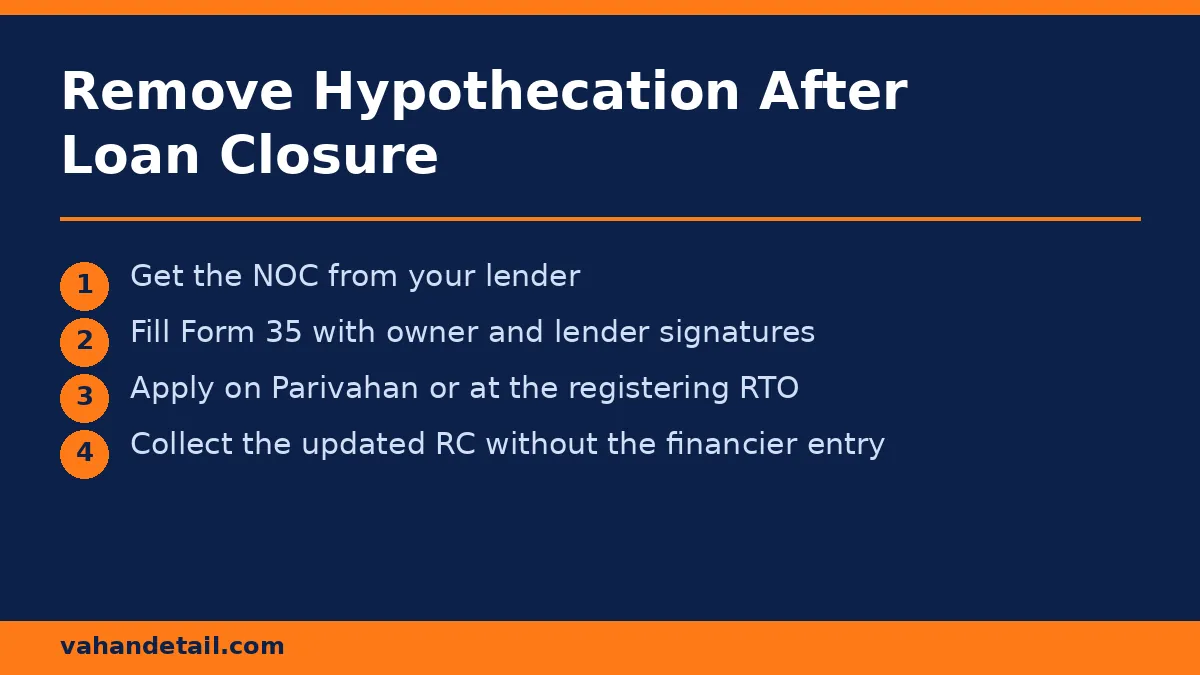
This is the most common complaint from owners who have repaid their loan. The fix is a formal hypothecation termination, not a phone call to the bank:
- Collect the NOC from your lender, confirming the loan is closed with no dues.
- Fill Form 35 (notice of termination of an agreement of hire purchase, lease, or hypothecation), signed by both you and the financier.
- Apply on the Parivahan Sewa portal under vehicle-related services, or at the RTO where the vehicle is registered, with the RC, insurance copy, PUC copy, and the lender NOC.
- Pay the applicable fee shown on the portal and submit the application.
- Once approved, the RTO issues an updated RC without the financier entry, and the VAHAN record updates to match.
Keep the lender NOC and the updated RC together. Buyers, insurers, and future RTO applications all accept the updated RC as proof that the loan is closed.
Hypothecation vs Related Terms Buyers Confuse
- Hypothecation vs ownership: Hypothecation does not change who owns the vehicle. You remain the registered owner, the lender only holds a recorded financial interest.
- Hypothecation vs insurance: Your insurance policy is separate. A hypothecated vehicle can still be insured, and some lenders require comprehensive cover for the loan period.
- Hypothecation vs blacklist: A blacklist flag is an enforcement hold, usually for unpaid challans or dues. A vehicle can carry both flags, and each needs its own clearance.
- Hypothecation vs lease: A leased vehicle shows the leasing company differently, and the transfer process is not the same as a loan closure.
Documents You May Need Around a Hypothecation Check
You do not need documents just to check the status online, the registration number is enough. You will need documents when acting on the result: the lender NOC and Form 35 for removal, the loan closure letter for your records, and the updated RC after removal. Sellers should keep the loan account statement showing a zero balance, since buyers increasingly ask for it before paying.
How do I check hypothecation status of a vehicle online?
Open the VAHAN portal, use Know Your Vehicle Details, enter the registration number, and read the hypothecation or financier field on the vehicle record. A blank field means no loan is recorded.
Can I buy a vehicle that shows hypothecation?
You can, but only safely after the seller closes the loan, obtains the lender NOC, and gets the hypothecation removed from the RC. Never pay the full price while a financier entry is still on the record.
My loan is fully repaid but VAHAN still shows the bank name. Why?
The RTO record updates only after a formal hypothecation termination application with Form 35 and the lender NOC. Repayment alone does not remove the entry.
What is Form 35 for hypothecation removal?
Form 35 is the official notice of termination of a hire purchase, lease, or hypothecation agreement. It is signed by the registered owner and the financier and submitted to the RTO with the lender NOC.
Is the VAHAN hypothecation check free?
Yes, the vehicle details lookup on the VAHAN portal is free. Be wary of third-party sites charging for the same public record.
Does hypothecation affect insurance claims?
It can. If the vehicle is financed, the insurer may settle a total-loss claim with the financier’s interest in mind, so inform your insurer once the loan is closed and the RC is updated.
Check whether a vehicle is hypothecated to a bank or financier on VAHAN.
Open the VAHAN portal
Open vahan.parivahan.gov.in and select Know Your Vehicle Details.
Enter the registration number
Enter the full vehicle registration number exactly as printed on the number plate.
Complete the captcha
Complete the captcha and submit the form to view the vehicle record.
Read the hypothecation field
Look for the Hypothecation or Financier field: blank or NA means no loan, a bank name means the vehicle is hypothecated.
Remove a closed loan entry
If a closed loan still shows, submit Form 35 with the lender NOC to the RTO to remove the entry.