VAHAN SMS Number: Check Vehicle Details via SMS (07738299899)
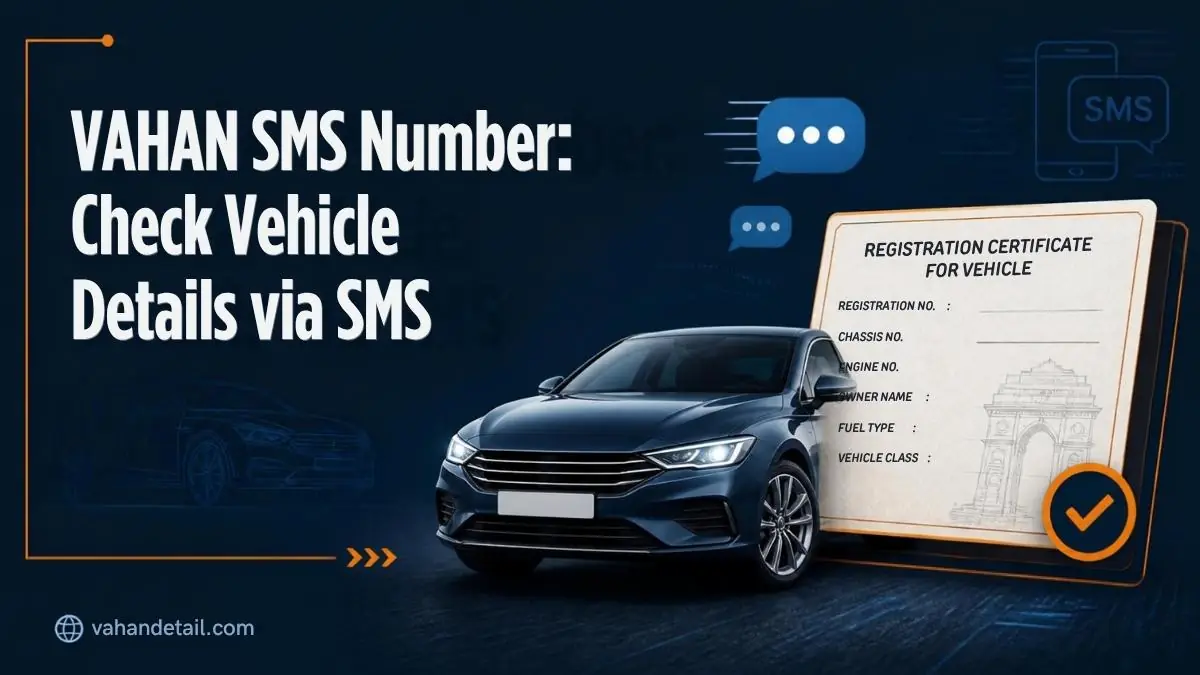
Yes — you can check a vehicle’s basic details without the internet. Type VAHAN, leave one space, type the full vehicle registration number (for example VAHAN DL1AB1234), and send it as an SMS to 07738299899. Within a few minutes you receive a reply with the vehicle’s registration date, maker and model, fuel type, RC status, and a partially masked owner name.
This official service runs off the same national VAHAN database that powers the Parivahan portal, so the data is authentic — it’s just a lighter version of the full online record.
What Is the VAHAN SMS Service?
Anyone with a working mobile number and basic SMS can use it — no smartphone required. It’s a text-message interface to the same national VAHAN database (maintained under the Ministry of Road Transport and Highways) that powers the Parivahan portal.
- You have no mobile data or Wi-Fi (highways, rural areas, basement parking)
- You don’t want to create a Parivahan account or do OTP login just for a quick check
- You’re buying a used vehicle and want a fast first-pass verification on the spot
- The portal or app is down for maintenance
The Exact SMS Format
Get the format right, or the service won’t recognize your message. It’s strict about spacing and order.
| Element | What to type |
|---|---|
| Keyword | VAHAN (capital letters) |
| Separator | One space |
| Vehicle number | Full registration number, no spaces — e.g. DL1AB1234 |
| Destination | 07738299899 |
Example message: VAHAN DL1AB1234
Do:
– Write the keyword in capitals: VAHAN
– Type the registration number exactly as on the number plate, without internal spaces (e.g. MH12CD5678, not MH 12 CD 5678)
– Send from any Indian mobile number
Don’t:
– Add extra words before or after (no “please check VAHAN DL1AB1234”)
– Add a dash or space inside the registration number
– Reverse the order (DL1AB1234 VAHAN won’t work)
Step-by-Step: Sending the SMS
- Open your phone’s messaging app and start a new SMS.
- In the recipient / To field, enter
07738299899. - In the message body, type
VAHAN, one space, then the full registration number — e.g.VAHAN KA05MN4321. - Press Send.
- Wait for the reply. In most cases it arrives within 2–5 minutes. During peak hours or portal maintenance windows it can take longer.
Standard SMS charges from your mobile operator apply — the check itself carries no separate government fee.
How to Check Vehicle Details via VAHAN SMS
Open a new SMS
Open your phone’s messaging app and start a new SMS.
Enter the VAHAN SMS number
In the recipient field, enter 07738299899.
Type the message in the exact format
Type VAHAN in capitals, one space, then the full registration number with no internal spaces, for example VAHAN DL1AB1234.
Press Send
Send the SMS. Standard SMS charges from your operator apply.
Wait for the reply
Wait for the reply, usually within 2 to 5 minutes. It can take longer during peak hours or maintenance.
What the Reply SMS Contains
The reply is a condensed version of the vehicle’s VAHAN record:
| Field in reply | What it tells you |
|---|---|
| Vehicle registration number | Confirms which vehicle the record belongs to |
| Owner name (partially masked) | First-pass identity check; full name is hidden for privacy |
| Registration date | When the vehicle was first registered |
| Maker / model | Manufacturer and model name |
| Fuel type | Petrol, diesel, CNG, electric, etc. |
| RC status | Whether the Registration Certificate is active/cancelled/suspended |
| RTO / registering authority | Which RTO issued the registration |
This is enough to catch common red flags on the spot — a registration date that doesn’t match what the seller claims, a fuel type that doesn’t match the vehicle in front of you, or an RC status that shows as anything other than active. For a full record (chassis number, engine number, hypothecation, insurance and PUC validity), use the full online vehicle details check on the Parivahan portal.
VAHAN SMS vs Portal vs mParivahan App
All three pull from the same VAHAN database, but they suit different situations:
| SMS (07738299899) | Parivahan Portal | mParivahan App | |
|---|---|---|---|
| Internet needed | No | Yes | Yes |
| Account / OTP login needed | No | Yes (for full details) | App install + login |
| Detail level | Basic fields only | Full record | Full record |
| Best for | Quick spot-checks, no-data situations | Deep verification, downloads | Frequent checks on the go |
| Cost | Standard SMS charge | Free | Free |
Rule of thumb: use SMS for a fast first check, then verify anything important — a purchase, a loan, an ownership transfer — with the full portal record, which is also what you need for a deep RC status check (the SMS only shows the RC status flag, not its history).
When the SMS Service Is Most Useful
- Used-car inspection: message the number while standing next to the car. If the reply’s maker, model, or registration date doesn’t match the vehicle or the seller’s story, dig deeper before paying.
- Accident or hit-and-run: note the plate and SMS it later — the masked owner name plus RTO is a useful starting point for a police report.
- No-data zones: long highway stretches with patchy coverage where the portal won’t load.
- Quick RC validity check: before a long trip, confirm the RC shows as active.
Limitations to Know Before You Rely on It
The SMS service is a convenience tool, not a legal document:
- Partial data only. Chassis number, engine number, hypothecation (loan) details, insurance and PUC validity don’t come in the SMS. Those live in the full portal record.
- Masked personal data. You won’t see the full owner name or address — that’s by design, under privacy rules.
- One vehicle per SMS. Each message checks a single registration number.
- Occasional delays. The service depends on the VAHAN backend. If the portal is down for maintenance, SMS replies can be delayed or missed.
- Not proof for official purposes. For ownership transfers, court matters, or insurance claims, you need the RC extract / portal record, not an SMS screenshot.
Troubleshooting: No Reply?
If nothing comes back after 15–20 minutes, work through this checklist:
- Check the format — typos in the keyword or a space inside the registration number are the most common cause. Resend exactly as
VAHAN <number>. - Verify the destination — all 11 digits of
07738299899. - Check your SMS balance — the message may never have gone out.
- Retry after maintenance windows — VAHAN backend maintenance (often late night) pauses replies.
- Fall back to the portal — if SMS stays silent, do the full vehicle details lookup online instead.
Consistent failures for a valid-looking number can also mean a very recent registration whose record hasn’t synced yet, or a legacy record still being digitized.
What is the VAHAN SMS number?
The official VAHAN SMS number is 07738299899. Send a message in the format VAHAN <space> <vehicle registration number> — for example VAHAN DL1AB1234 — and you receive the vehicle’s basic registration details by reply SMS.
Is the VAHAN SMS service free?
The government charges nothing for the lookup. You only pay your operator’s standard SMS charge for sending the message, as per your plan.
What details do I get via the VAHAN SMS?
A condensed record: registration number, partially masked owner name, registration date, maker/model, fuel type, RC status, and the registering RTO. For chassis/engine numbers, hypothecation, insurance and PUC validity, use the full Parivahan portal lookup instead.
How long does the VAHAN SMS reply take?
Usually 2–5 minutes. During peak traffic or backend maintenance it can take longer. If there’s no reply after 15–20 minutes, check your format and resend.
Can I check any Indian vehicle’s details via SMS?
The service covers vehicles in the national VAHAN database — almost all states and union territories. Very recent registrations may take time to appear, and a few legacy records are still being digitized.
Is the SMS reply valid as proof of ownership?
No. The SMS is an informational check, not a legal document. For ownership transfers, disputes, or insurance claims, use the official RC or the authenticated record from the Parivahan portal.