Car Number Check Online: Owner & Registration Details
Car Number Check Online: Owner & Registration Details
If you are buying a used car, selling your own, or verifying a vehicle before a deal, a car number check online is the fastest free way to see its official registration record. On the government’s VAHAN portal (vahan.parivahan.gov.in), entering the car’s registration number instantly shows its RTO, registration validity, fuel type, owner count, hypothecation (loan) status, insurance details and pending challans — no login needed, no fee charged.
For car buyers specifically, this one check answers the questions that matter most: is there an unpaid loan on the car, are there pending traffic challans attached to it, is the insurance live, and does the seller’s story match the official record?
Why a Car Number Check Is Non-Negotiable Before Buying a Car
A car’s registration number is permanently linked to its legal history in the national VAHAN database. A seller can polish the bodywork and invent a service history — but they cannot edit the government record. Before you pay a token advance, run the number and confirm the registration is valid and not blacklisted, there is no hidden hypothecation, and the chassis and engine numbers match the car in front of you.
Skip this step and you risk buying a car with an unpaid loan, thousands in pending challans, or out-of-state registration with unpaid road tax. For the full picture of what can go wrong, read our guide on why an RC check is important before buying a used car.
What Details a Car Number Check Reveals
Here is what the VAHAN portal returns when you search a private car’s registration number:
| Detail shown | What it tells you |
|---|---|
| Registration number & registering RTO | Which RTO the car is registered with (e.g. DL-10 = Rohini, Delhi) |
| Vehicle class | LMV confirms it is a private car, not a commercial vehicle |
| Fuel type | Petrol, diesel, CNG or electric — must match the actual car |
| Registration date & validity | Private car RCs are valid for 15 years from first registration |
| Owner serial number | 1 = first owner, 2 = second owner, and so on |
| Hypothecation details | Name of the bank or financer if a loan is still active |
| Insurance details | Insurer name, policy number and valid-up-to date |
| PUC / fitness status | Whether the pollution certificate is current |
| Blacklist status | Flags for theft reports, court cases or RTO action |
One thing the public search will never show is the owner’s name, address or phone number — that personal data is protected by privacy rules. If you need a deeper background check on a car you plan to buy, including accident and legal history pointers, see our vehicle legal report guide.
How to Check Car Number Details on the VAHAN Portal (Step by Step)
- Go to https://vahan.parivahan.gov.in/nrservices/ — the official VAHAN citizen portal run by the Ministry of Road Transport and Highways.
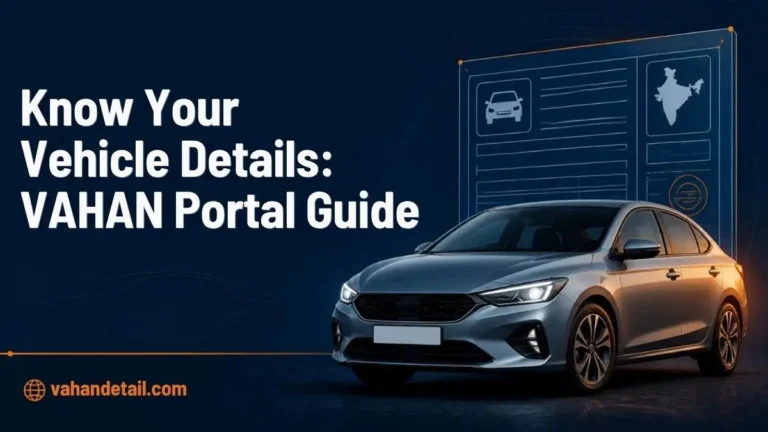
- On the homepage menu, click “Know Your Vehicle Details”.
- Enter the full registration number, for example DL8CAB1234. Spaces are optional — the portal accepts the number with or without them.
- Enter the verification (captcha) code shown on the screen.
- Click “Search Vehicle”. The complete record appears instantly. No account, no login, no payment.
Tip: Double-check every character before searching — one wrong digit can pull up a completely different car.
How to Check Car Number Details Online on the VAHAN Portal
Open the official VAHAN portal
Go to https://vahan.parivahan.gov.in/nrservices/, the official VAHAN citizen portal run by the Ministry of Road Transport and Highways.
Choose Know Your Vehicle Details
On the homepage menu, click Know Your Vehicle Details.
Enter the registration number
Enter the full registration number, for example DL8CAB1234. Spaces are optional.
Enter the verification code
Enter the verification (captcha) code shown on the screen.
Search and view the record
Click Search Vehicle. The complete record appears instantly, with no account, no login, and no payment. Double-check every character before searching, since one wrong digit can pull up a different car.
4 Car-Specific Checks Buyers Must Not Skip
1. Hypothecation (loan) status
If the record shows “Hypothecated to” followed by a bank or NBFC name, the car still has an active loan against it. Never buy a hypothecated car without the lender’s NOC and Form 35 — the loan stays attached to the vehicle, not to the seller, and the RTO will not transfer a hypothecated RC cleanly.
2. Pending e-challans
Traffic challans follow the vehicle, not the driver. Check them on the official portal at https://echallan.parivahan.gov.in — choose “Check Challan Status”, search by vehicle number, enter the captcha. Unpaid challans running into thousands of rupees become your problem the moment ownership transfers.
3. Insurance validity
The VAHAN record shows the insurer’s name and the policy’s valid-up-to date. If insurance has lapsed, budget for a fresh policy (possibly needing an inspection) before driving the car legally. See how to check vehicle insurance policy validity.
4. Owner count vs. the seller’s story
“Single owner, barely driven” should line up with owner serial number 1 on the VAHAN record. If the portal shows owner number 3, the story doesn’t add up. Use the mismatch to renegotiate — or walk away.
Quick Alternative: Check by SMS
No internet access? You can get the basic vehicle details by SMS from any mobile phone. Send VAHAN [space] registration number to 7738299899. Example: VAHAN DL8CAB1234. You will receive the key registration details by return SMS within a minute or two. It is the same national database, just in text-message form.
Used-Car Test-Drive and Transfer Checklist
Save this list on your phone before you go to see a car:
- Match the metal: The chassis number stamped on the car (usually under the bonnet or on the driver-side door frame) must match both the RC and the VAHAN record.
- RC matches the seller: The name on the Registration Certificate should match the seller’s government ID. If it doesn’t, get a clear explanation before proceeding.
- Keep the forms ready: Ownership transfer needs Form 29 and Form 30 signed by both buyer and seller. A hypothecated car additionally needs Form 35 plus the bank’s NOC.
- Transfer the insurance: Get the policy transferred to your name within 14 days of purchase — it is a legal requirement, not a courtesy.
- Check the PUC: Ask for a valid Pollution Under Control certificate, and renew it the same week if it is missing or expired.
- Do the transfer yourself: Complete the vehicle ownership transfer online through Parivahan instead of leaving it to the dealer, so the RC actually moves into your name.
- Tracing an unknown car? If you are dealing with an unfamiliar vehicle — one involved in an incident, parked suspiciously, or offered by a stranger — read our guide on vehicle number search to learn what you can legally trace and how.
Can I find a car owner’s name from the number plate online?
No. Public portals like VAHAN deliberately hide the owner’s name, address and phone number for privacy. You can see the owner serial number (first, second or third owner), the registering RTO, registration validity, insurance and challan details — but not personal data. Only the RTO or police can access owner identity, and only for lawful reasons.
Is the VAHAN car number check really free?
Yes, completely free. The “Know Your Vehicle Details” service on vahan.parivahan.gov.in requires no login and no payment. Avoid third-party websites and apps that charge money for the same government data.
What does “hypothecated” mean in the VAHAN result?
It means the car was bought on a loan and the financer holds a legal charge on it. The hypothecation must be formally terminated at the RTO — with the bank’s NOC and Form 35 — before or as part of the sale.
How do I check pending challans on a car I want to buy?
Visit echallan.parivahan.gov.in, select “Check Challan Status”, enter the vehicle number and the captcha. All unpaid challans appear with violation details and amounts.
Can I check a car registered in another state?
Yes. VAHAN is a single national database covering all states and UTs. A buyer in Delhi can check a Haryana- or UP-registered car just as easily as a local one.