Himachal Pradesh Vehicle Status Check: RC and Challan Status Online (2026)
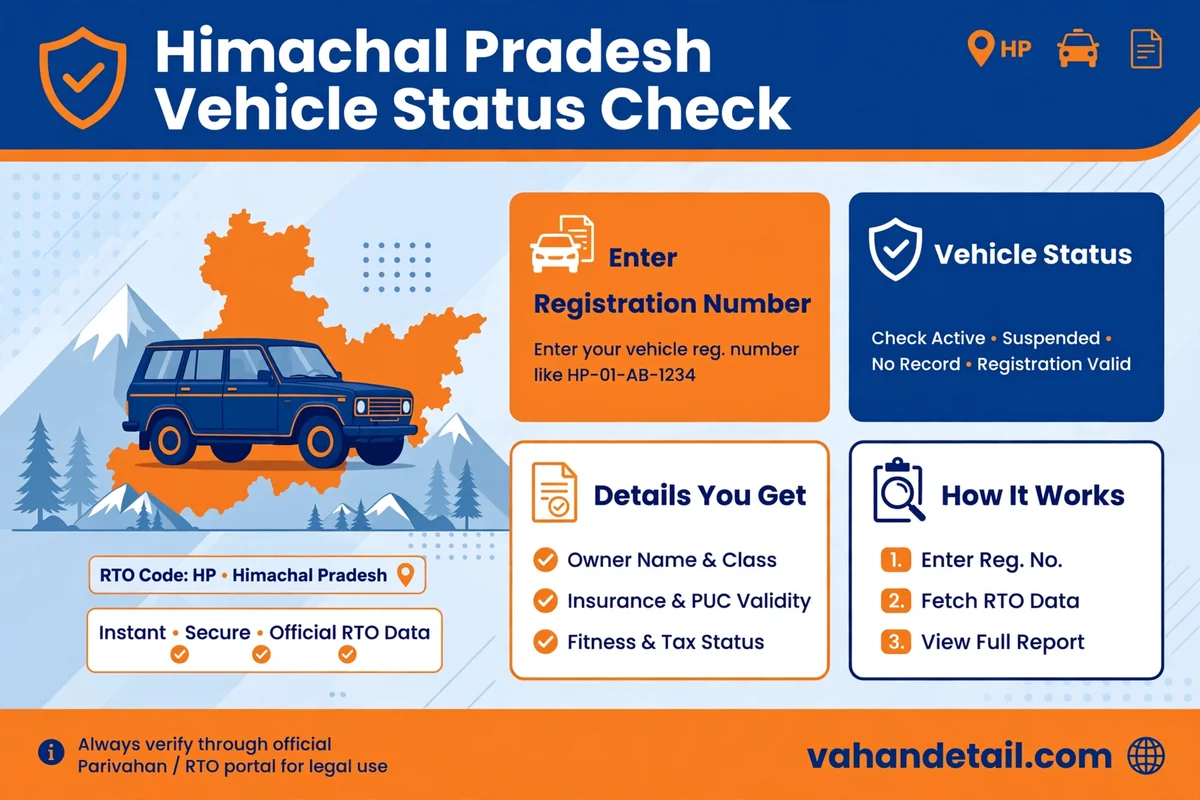
If you own a vehicle registered in Himachal Pradesh, you can check its RC status and any pending challans online in a few minutes, without visiting an RTO office. The national Parivahan portal carries the registration and challan records for HP registered vehicles, so the same check works whether your vehicle was registered in Shimla, Mandi, Dharamshala, or any other district of the state. This guide walks you through both checks step by step, explains what each field on the result page means, and tells you what to do if something looks wrong.
The short version: open the Parivahan Sewa portal, use the Know Your Vehicle Details service for the RC check, and use the eChallan portal for the challan check. You only need your vehicle registration number, and for the challan check, either the challan number, the vehicle number, or the driving licence number. Keep your RC and insurance papers nearby so you can match the details shown on screen with your documents.
Himachal Pradesh vehicle status at a glance
Vehicles registered in Himachal Pradesh carry number plates that begin with the state code HP, followed by an RTO code and a unique number. Shimla, the state capital, is served by several registering authorities, including HP-01 and HP-02 for Shimla Urban and HP-03 for Shimla Rural, and the wider state is covered by a network of RTO and RLA offices under the Himachal Pradesh Transport Department. The department’s information pages are hosted on himachal.nic.in, while the day to day status records live on the national Parivahan system. That split is normal: the state department administers registration, and Parivahan is the shared national database where the records are published for checking.
When you run a Himachal Pradesh vehicle status check, you are really running two separate checks. The RC status check confirms the registration record itself: the owner details on file, the vehicle class, the registration validity, and the linked insurance, fitness, and tax dates. The challan check is separate and tells you whether any traffic violation challan is pending against the vehicle. Both matter, and a clean RC record does not guarantee a clean challan record, so run both before you buy, sell, or renew anything.
How to check Himachal Pradesh RC status online
Follow these steps on the Parivahan portal:
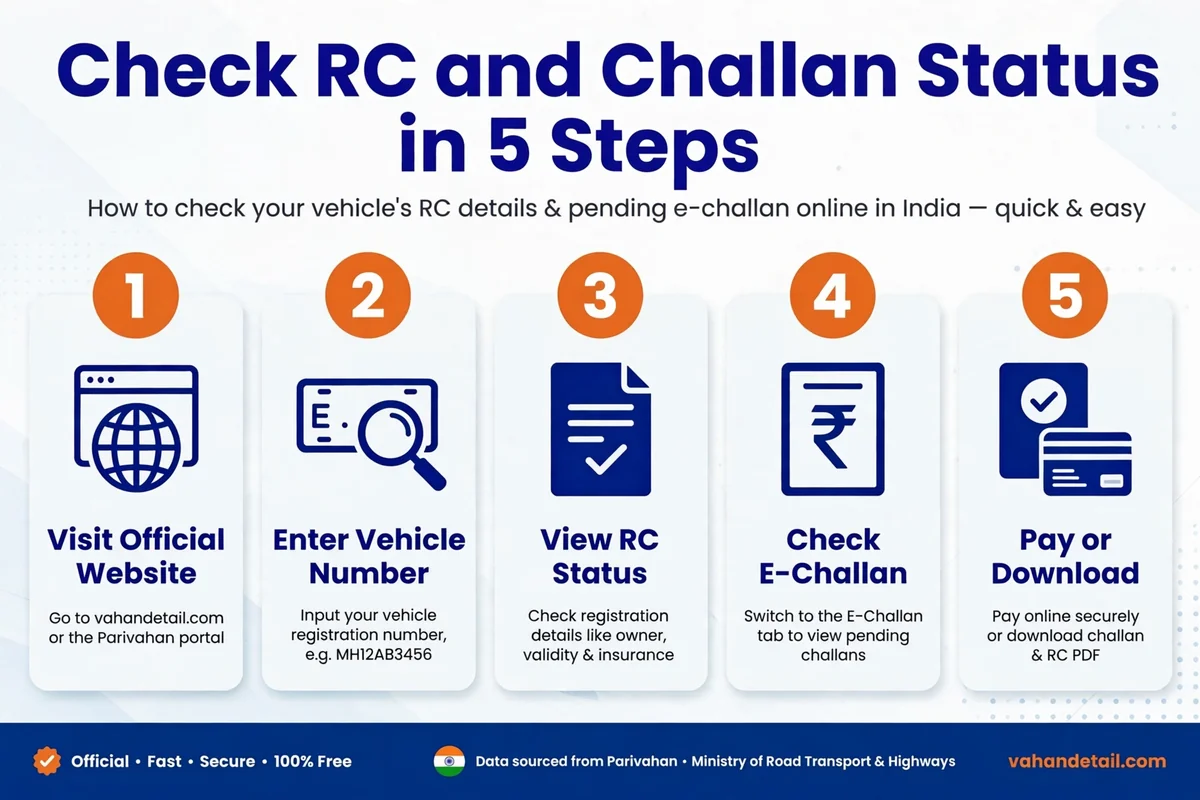
- Open the Parivahan Sewa portal at parivahan.gov.in and go to Online Services, then Vehicle Related Services.
- Select Know Your Vehicle Details from the informational services list.
- Enter your full vehicle registration number exactly as printed on the RC, for example in the format HP 01 AB 1234, without worrying about spaces, the portal accepts the number with or without them.
- Complete the on screen verification and submit. The portal shows a summary of the registration record.
- Match the details on screen with your RC: registration number, chassis and engine numbers (partly masked for privacy), vehicle class, fuel type, date of registration, and the validity dates for fitness, insurance, and motor vehicle tax.
If you prefer a phone, the same record is available in the mParivahan app. Open the app, enter the registration number, and it pulls the same Parivahan record. The app is also handy for saving a digital copy of the RC and driving licence, which many traffic officers accept during checking, though carrying the original documents is still the safest option.
One detail that confuses many owners: the owner name and full chassis number are masked on the public result page. That is by design, to protect privacy. What you see is enough to confirm that the record matches your vehicle. If you need the complete unmasked record, for example for a court case or a bank loan file, you must apply through the registering authority with proof of ownership.
How to check Himachal Pradesh e-challan status online
Challans in Himachal Pradesh are recorded on the national eChallan system, so the check is the same portal used across India:
- Open the eChallan portal at echallan.parivahan.gov.in and choose Check Challan Status.
- Search by challan number, by vehicle number, or by driving licence number, whichever you have.
- Enter the captcha and submit. The portal lists every pending challan with the violation, the date and place, and the amount.
- If a challan is listed, you can pay it online from the same page using net banking, a card, or UPI, and download the payment receipt immediately.
- Keep the receipt. It is your proof of payment if the record takes a day or two to update, and it is worth keeping until the challan disappears from the pending list.
Pay attention to the challan status wording. A challan marked as pending means it is unpaid. A challan sent to a virtual court means it has moved to the next stage, and you will need to follow the court process shown on the portal rather than the simple online payment flow. Do not ignore a virtual court challan, because an unpaid challan can block later services such as ownership transfer or fitness renewal.
For a broader look at how challan portals differ from state to state, see our guide to challan check online state-wise portals. The Himachal Pradesh flow above is the same national flow, but the guide helps if you also own vehicles registered in other states.
Documents to keep ready for a vehicle status check
You do not need to upload any document for a basic status check, since the portals only ask for the registration number. But keep these nearby so you can verify what the portal shows:
- Registration Certificate (RC), in smart card form or as a digital copy in DigiLocker or mParivahan.
- Valid motor insurance policy, with the policy number and expiry date.
- Pollution Under Control (PUC) certificate, if your vehicle class requires one.
- Driving licence of the person who will drive the vehicle.
- For commercial vehicles, the fitness certificate and permit details.
If any validity date on the portal has already passed, renew that document first. An expired insurance policy or fitness certificate shows up on the record and can attract a challan during checking, even if the RC itself is valid. Our general RC status check online guide explains the same validity fields in more detail, with screenshots of what each field means.
What to do if the status shows a problem
A mismatch between the portal and your RC is the most common problem, and it usually has a simple cause. A recent ownership transfer, an address change, or a renewed insurance policy can take a few days to reflect in the national database. Wait a week after the transaction, then check again. If the mismatch is still there, visit the registering authority where the vehicle is registered, carrying the original RC, the transfer or renewal papers, and an identity proof, and ask for a data correction.
If a challan appears that you believe is wrong, do not simply pay it and move on if you intend to dispute it. Note the challan number, date, place, and violation, and check whether your vehicle was actually at that location. For a genuine dispute, the eChallan portal shows the option to approach the concerned traffic authority or the virtual court. If the amount is small and the violation is clearly yours, paying quickly is usually cheaper than letting it escalate.
If the portal shows no record at all for a vehicle you know is registered, double check the number you typed. A single wrong digit, or confusing a zero with the letter O, is the usual cause. Old records that were never digitised can also be missing, and in that case the registering authority is the only place that can confirm the record from its own registers.
Visiting the RTO or RLA office in person
Most status checks never need a visit, but some jobs still do: duplicate RC, ownership transfer with a loan closure, or a fitness inspection. In Shimla, the registering authorities handle urban and rural registrations separately, so confirm which office covers your registration series before you travel. Carry the original RC, insurance, PUC, identity proof, and address proof, plus photocopies, and keep the acknowledgement receipt for anything you submit. Online services on Parivahan now cover many of these jobs end to end, so check the portal first, because a trip you can avoid is time saved.
If you are new to the national portal, our Vahan status check online guide covers the same steps with extra detail on the Vahan services menu, including tax payment and application status tracking. For comparison, the West Bengal vehicle status check guide and the Goa vehicle status check guide show how the same national process looks for other states.
Frequently asked questions
How can I check my Himachal Pradesh vehicle RC status online for free?
What is the HP RTO code for Shimla?
How do I check a pending challan for an HP registered vehicle?
Why is the owner name partly hidden on the RC status page?
What should I do if my HP vehicle record does not appear on Parivahan?
How to check Himachal Pradesh vehicle status: quick steps
- Open parivahan.gov.in and go to Vehicle Related Services.
- Select Know Your Vehicle Details and enter your HP registration number.
- Complete the verification and view the RC summary, checking fitness, insurance, and tax validity dates.
- Open echallan.parivahan.gov.in and check challan status by vehicle number, challan number, or licence number.
- Pay any pending challan online and save the receipt until the record updates.
- If any detail mismatches your RC, wait a week for database updates, then visit the registering authority with original documents for correction.
Checking your Himachal Pradesh vehicle status takes only a few minutes, and doing it regularly keeps you clear of surprises at renewal time or during roadside checking. Run the RC check and the challan check together, keep your insurance and PUC dates in mind, and act on any pending challan before it moves to the next stage. That routine is all it takes to keep an HP registered vehicle fully compliant.