Kerala Vehicle Status Check: RC, Challan and Tax Status on Parivahan (2026)
If you own a vehicle registered in Kerala, you can run a complete kerala vehicle status check online in just a few minutes. The VAHAN portal shows your RC details, the e-Challan portal lists any pending traffic fines, and the Kerala Motor Vehicle Department services help you verify motor vehicle tax dues. Here is exactly how to check all three.
How to Check Kerala Vehicle Status on the VAHAN Portal
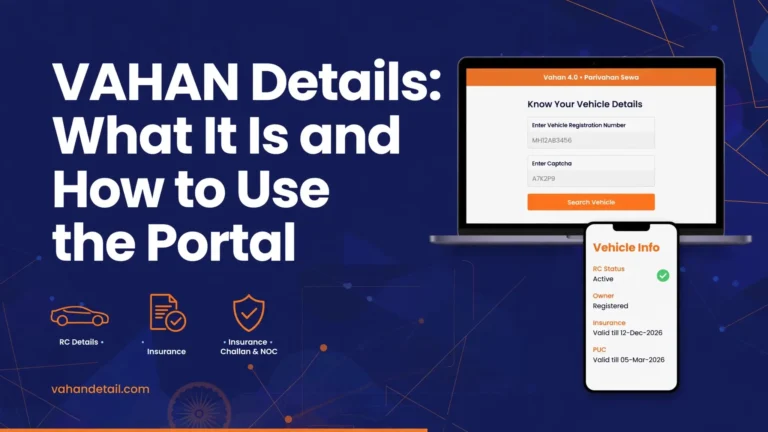
A kerala vehicle status check on the VAHAN portal is the fastest way to see your registration certificate details. The process works the same for Kerala vehicles as for any other Indian state, and it is free. Follow these steps.
- Visit vahan.parivahan.gov.in, which is the national vehicle registry maintained by the Ministry of Road Transport and Highways.
- Click on "Know Your Vehicle Details" at the top of the homepage. This is the main public vehicle-status service.
- Log in or create an account. New users register with their mobile number and verify it with an OTP, while existing users sign in with their VAHAN or Parivahan account credentials.
- Enter your Kerala registration number (for example, KL 39 AB 1234) and submit.
- Your vehicle's details appear on screen. You will see the owner's name, registration date, chassis and engine numbers (partially masked for privacy), fuel type, vehicle class, RC status, insurance validity, PUC validity, and whether any hypothecation or blacklist flag exists.
For a broader walkthrough of this service with screenshots of each screen, see our guide on the VAHAN status check. The Kerala result page carries the same fields, but the registered authority will show the Kerala RTO where your vehicle is registered, such as Thiruvananthapuram (KL-01), Ernakulam (KL-07) or Kozhikode (KL-11).

Visit vahan.parivahan.gov.in
Open the national vehicle registry in your browser.
Click Know Your Vehicle Details
The main public vehicle-status service on the homepage.
Log in with mobile number and OTP
New users register with their mobile number and verify it with an OTP.
Enter the Kerala registration number (e.g. KL 39 AB 1234) and submit
Type your registration number carefully and submit the form.
View the RC record
Owner name, registration date, chassis and engine numbers, fuel type, RC status, insurance and PUC validity.
Checking Kerala Pending Challans (e-Challan)
A kerala vehicle status check is incomplete without verifying pending traffic challans. Kerala's traffic enforcement, including camera-based e-challans on busy corridors, feeds into the national e-challan system, so you check it the same way as in any state.
- Go to the e-Challan portal.
- Select "Check Challan Status" and choose the option to search by vehicle number.
- Enter your registration number, complete the captcha, and click Get Details.
- The portal lists every pending challan against the vehicle, with the challan number, offence, location, date and fine amount. You can pay online through the same portal.
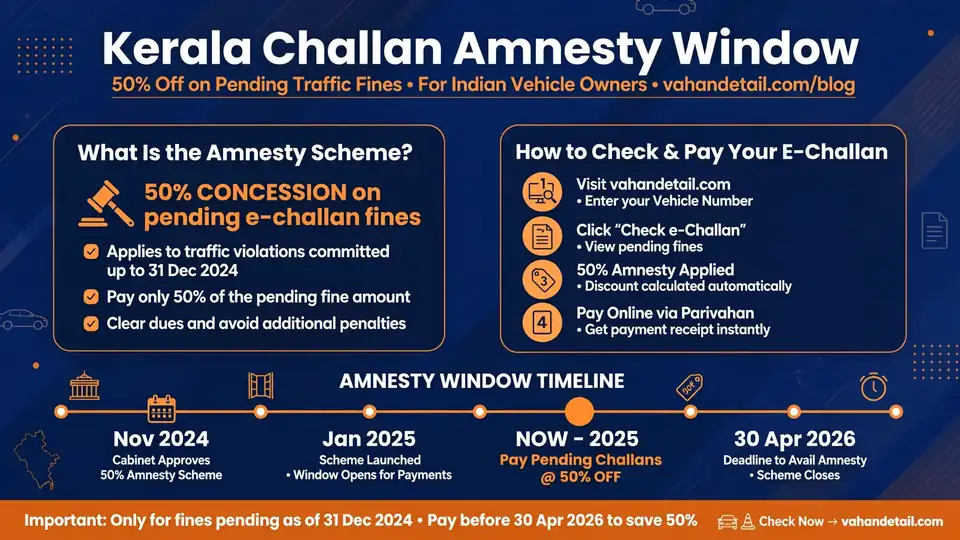
If your search shows old pending challans, there is good news for Kerala vehicle owners. Kerala announced a 50% amnesty window running from November 1, 2026 to January 31, 2027 for traffic challans issued on or before March 31, 2026. Paying during this window halves the fine, so it is worth settling old dues now rather than later. Read the full details in our Kerala e-challan amnesty scheme guide before the window closes.
Checking Motor Vehicle Tax Dues for Kerala
Motor vehicle tax in Kerala is collected by the state's Motor Vehicle Department (mvd.kerala.gov.in). While the VAHAN portal confirms your RC is active, tax arrears are best verified through the Kerala MVD's own services.
- Visit mvd.kerala.gov.in, the official website of the Kerala Motor Vehicle Department.
- Look for the vehicle-related services or tax payment section. You can pay motor vehicle tax and check tax arrears there by entering your registration number.
- Tax details also reflect in the VAHAN result page, which shows the tax paid up to date. If the VAHAN record shows tax as unpaid while you believe you paid it, keep your payment receipt and get it corrected at your registering RTO.
Kerala charges motor vehicle tax at rates set by the state government, and arrears can accumulate interest, so clearing dues promptly matters. If you are buying a used vehicle registered in Kerala, unpaid tax becomes the new owner's problem, which makes this check essential before any purchase.
What the Status Results Mean
When you run the check, the result page shows several status fields. Here is what the important ones mean.
| Field | What it tells you |
|---|---|
| RC Status: Active | The registration certificate is valid. This is the normal, healthy state. |
| RC Status: Suspended or Cancelled | The RC has been acted upon by the RTO. Do not use the vehicle on public roads until this is resolved. |
| Hypothecation | The vehicle is under a loan or lease. The financier's name is recorded, and you need an NOC from them to transfer or remove it. |
| Blacklisted | The vehicle is flagged, usually over unpaid dues, pending legal matters or theft reports. Clear this at the RTO. |
| Tax: Paid up to | Shows how long your motor vehicle tax is covered. If it shows an old date, arrears are due. |
| Insurance Valid Upto | Your motor insurance expiry. Driving uninsured is an offence and invites a challan. |
| PUC Valid Upto | Your pollution certificate expiry. Kerala runs enforcement drives against expired PUCs. |
| Pending Challans | Fines that must be paid. Old challans may qualify for the Kerala amnesty discount. |
If anything looks wrong, for example a challan you already paid still showing as pending, or an RC status you do not expect, visit your registering RTO with your documents and payment receipts. Online records are generally accurate, but data entry errors do happen and the RTO can correct them.
For owners who want to compare how different states handle these checks, our state-wise challan portal guide lists the portals each state uses alongside the national system.
Is the Kerala vehicle status check free on the VAHAN portal?
Yes. The Know Your Vehicle Details service on the VAHAN portal is completely free. You only need to register with a mobile number and verify it with an OTP. There is no fee for viewing your own vehicle’s RC details.
Can I check another person’s Kerala vehicle status?
The VAHAN portal allows anyone to look up basic details of a registered vehicle using its registration number, but sensitive fields like the full owner address and complete chassis and engine numbers are masked for privacy. Full details are visible to the registered owner and authorised parties.
Why is my Kerala vehicle not showing on the VAHAN portal?
This usually happens with very old records that have not been fully digitised, or if the registration number is entered in the wrong format. Try variations of the format, for example KL-07-AB-1234 versus KL 07 AB 1234. If it still does not appear, your registering RTO can verify whether the record is digitised.
I paid my Kerala challan but it still shows as pending. What should I do?
Online payments can take 24 to 72 hours to reflect in the e-challan system. Keep your payment receipt or transaction reference. If the challan still shows as pending after that, raise a dispute or correction request through the e-challan portal or visit the issuing authority in Kerala with proof of payment.
How do I benefit from the Kerala 50% challan amnesty?
Challans issued on or before March 31, 2026 qualify for a 50% discount if paid between November 1, 2026 and January 31, 2027. Check your pending challans on the e-challan portal, confirm the issue dates, and pay within the window to get the reduced amount.
Does checking vehicle status online require my Aadhaar or driving licence?
No. Checking vehicle status on the VAHAN or e-challan portal needs only the vehicle’s registration number and, for VAHAN, a mobile number with OTP verification. Aadhaar or licence details are not required for these basic checks.
Key Takeaways
A complete kerala vehicle status check covers three things: RC details on the VAHAN portal through Know Your Vehicle Details, pending fines on the e-Challan portal by vehicle number, and tax dues through the Kerala MVD's services at mvd.kerala.gov.in. The Parivahan Sewa portal is the central hub that ties these services together. Run this check before buying a used Kerala vehicle, before a long trip, or at least once a year, and if you have old challans, settle them within the 50% amnesty window ending January 31, 2027.