VAHAN Report: Get a Complete Vehicle History Report
Buying a used car? Lending your vehicle to a driver? A VAHAN report is the closest thing India has to a full background check for a vehicle. It pulls together registration, challan, insurance, fitness and blacklist records from the national VAHAN database into one history you can read before you hand over money.
What Is a VAHAN Report?
VAHAN is the national vehicle registry run by the Ministry of Road Transport and Highways. Every RTO in India feeds registration data into it, and the public-facing portals let anyone look up basic details of a vehicle using its registration number.
A VAHAN report is a compiled summary of everything the database knows about one vehicle: who it is registered to (in masked form for privacy), when and where it was registered, its insurance and PUC status, pending challans, fitness validity, and whether it is blacklisted or stolen. Think of it as the vehicle’s report card.
For a deeper look at what the raw lookup shows, see our guide on vehicle owner details online, and read why an RC check matters before buying a used car.
What a VAHAN Report Contains
A complete report typically has these sections:
| Section | What it tells you | Red flags to watch |
|---|---|---|
| Registration details | Registration number, RTO code, registration date, vehicle class | Very recent re-registration on an old vehicle |
| Owner details | Owner name (partially masked), ownership serial number | High ownership count suggests heavy resale |
| Vehicle specs | Maker, model, fuel type, engine and chassis number | Mismatch with the physical vehicle |
| Insurance | Policy number, insurer, validity dates | Expired or missing insurance |
| PUC | Emission certificate number and validity | Expired PUC, a fine risk |
| Fitness | Fitness certificate validity (transport vehicles) | Expired fitness |
| Challans | Pending e-challans with amounts | Large unpaid dues, especially after the SC’s 2026 order |
| Blacklist / stolen | Flags from police or RTO records | Any flag at all, walk away |
| Hypothecation | Active loan against the vehicle | Seller must clear it before transfer |
The ownership serial number deserves special attention. “Second owner” on the RC means you would become the third. Each transfer slightly depresses resale value, and a long chain can hint at problem vehicles being passed along.
How to Get a VAHAN Report Online
The basic lookup is free and takes a minute:
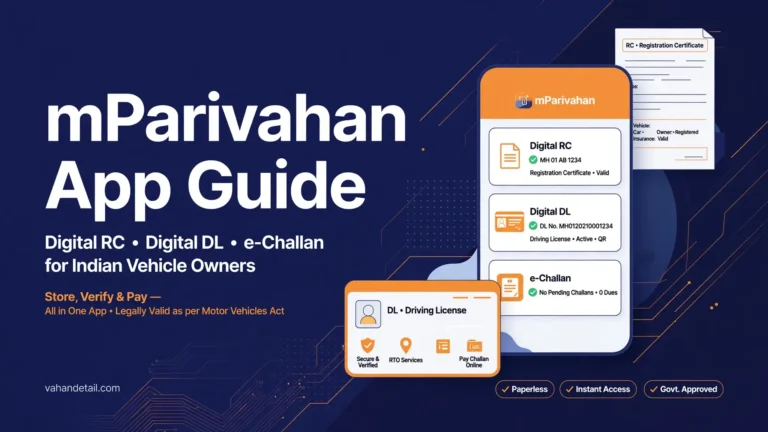
1. Go to vahan.parivahan.gov.in (the “Know Your Vehicle Details” service) or use the mParivahan app.
2. Enter the full vehicle registration number and the verification code.
3. The portal shows registration, owner (masked), insurance, PUC and challan summary instantly.
For a more detailed compiled report with history-style formatting, several private services generate one from the same public data for a small fee. If you use one, cross-check its key claims, especially challan and blacklist status, against the official Parivahan portals before deciding.
You can also run a full RC status check and a vehicle legal report as companion checks. Together, the three cover registration authenticity, legal encumbrances and compliance in one sweep.
How Buyers Use It for Due Diligence
Smart used-vehicle buyers run the report before the test drive, not after. Here is the practical sequence:
- Match the metal. Compare engine and chassis numbers on the report with the physical stampings on the vehicle. Any mismatch is an instant deal-breaker.
- Count the owners. One or two previous owners is normal. Four or five deserves hard questions.
- Check the money trail. Pending challans transfer as headaches, not as legal liability, but a blacklisted or stolen flag kills the deal outright. Since the Supreme Court’s September 2026 order, unpaid challans can also freeze the ownership transfer itself.
- Verify hypothecation. If a loan is active, insist the seller closes it and gets the hypothecation removed from the RC before you pay.
- Confirm insurance continuity. Gaps in insurance history can complicate your own policy and claims.
A clean VAHAN report does not replace a mechanic’s inspection, but no inspection can replace it either. One checks the machine, the other checks the paper, and in India the paper causes more grief.
Frequently Asked Questions
Is a VAHAN report free?
The basic vehicle details lookup on vahan.parivahan.gov.in and the mParivahan app is free. Private services that compile it into a formatted history report usually charge a small fee.
Does the VAHAN report show the owner’s full name and address?
No. Owner details are partially masked for privacy. You get enough to verify identity during a sale (the seller can show their RC and ID), but not a full personal dossier.
How accurate is the data in a VAHAN report?
It reflects what RTOs have uploaded to the national registry, which is generally reliable for registration, insurance and challan data. Very recent transactions can take a few days to reflect, so re-check close to the purchase date.
Can a VAHAN report tell me if a vehicle was in an accident?
Not directly. It shows insurance and ownership history, which can hint at issues, but accident records are not part of the registry. A physical inspection and insurance claim history check fill that gap.
What should I do if the report shows a blacklist flag?
Stop the purchase. Find out which authority flagged it and why, it could be a stolen-vehicle report, unpaid dues or a court matter. Never buy a flagged vehicle hoping to “sort it out later.”
Does the report work for all states?
Yes. VAHAN is a national database covering all states and union territories, though data freshness can vary slightly by RTO.
Get a complete VAHAN vehicle history report online in about a minute with this free lookup.
Open the VAHAN lookup service
Go to vahan.parivahan.gov.in and open the Know Your Vehicle Details service, or use the mParivahan app.
Enter the registration number
Enter the full vehicle registration number and the verification code shown on screen.
Review the report sections
Check registration, owner, insurance, PUC and challan summary, and watch for red flags like blacklist entries or mismatched numbers.