How to Update Mobile Number in RC Online: VAHAN and RTO Guide (2026)
How to Update Mobile Number in RC Online: VAHAN and RTO Guide (2026)
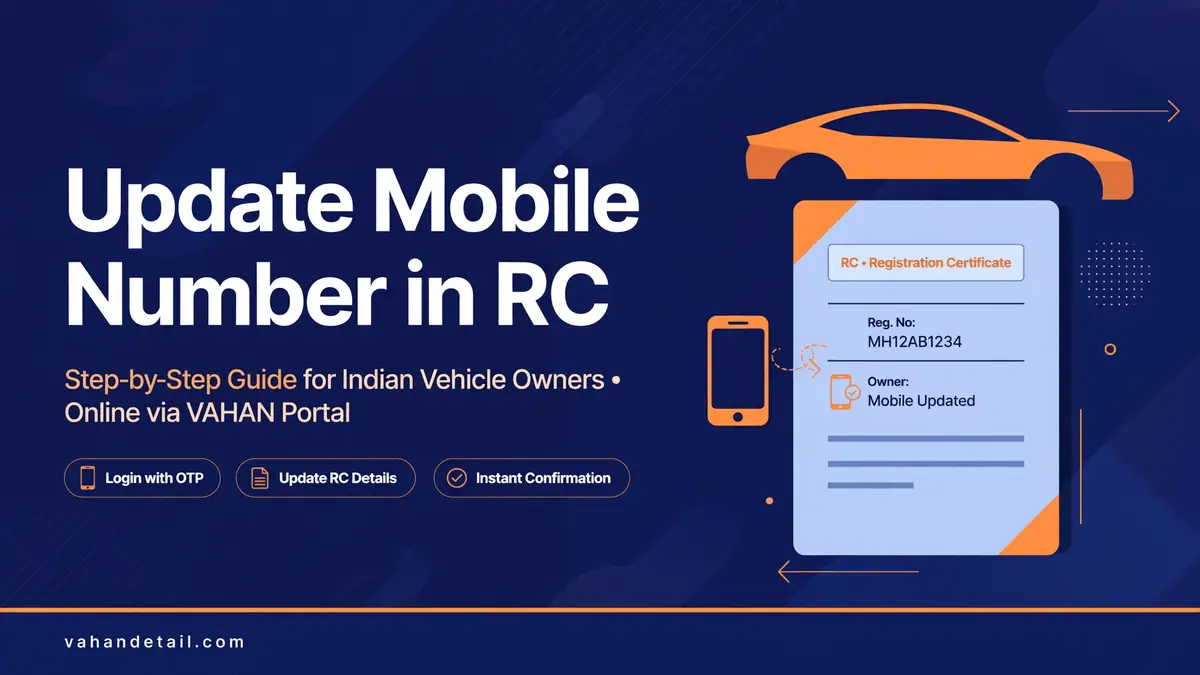
If you want to update mobile number in RC, start with the official Vahan portal, where many states now let you update the mobile number linked to your vehicle record online, with OTP verification on the new number. The updated number is the one that will receive challan alerts, RC and service updates, and OTPs for future online applications, so keeping it current matters more than most owners realise. Where the online option is not available for your state or RTO, the same update can still be done at the RTO counter with a simple application.
This guide covers both routes, the documents you may need, how to verify the change worked, and what to do when the old number is no longer accessible. Note that availability of the online service varies by state, because VAHAN services are rolled out state by state, so the RTO route in this guide is your reliable fallback, not an afterthought.
Why the Mobile Number on Your RC Record Matters
Your registered mobile number is the contact point for almost every vehicle service. Challan notifications, application status SMS updates, and OTPs for VAHAN and mParivahan logins all go to this number. If you changed your SIM, lost your phone, or bought a used vehicle whose record still shows the previous owner’s number, you can miss a challan, miss an RTO query on your application, or fail an OTP login entirely.
Check Which Mobile Number Is Currently Linked
Before changing anything, confirm what is currently on record. The quickest check is the Vahan portal: use Know Your Vehicle Details with your registration number, and the record shown includes the contact details held for the vehicle, where the state has enabled that display. You can also check through the mParivahan app, which shows the mobile number linked to your account profile, as explained in our mParivahan app guide.
If you are unsure, try the OTP test. Start any VAHAN service that asks for OTP login and see which number receives the code. If the OTP goes to a number you no longer use, you need the update, and you will probably need the RTO route, because the online update itself often asks for OTP verification.
How to Update Mobile Number in RC Online
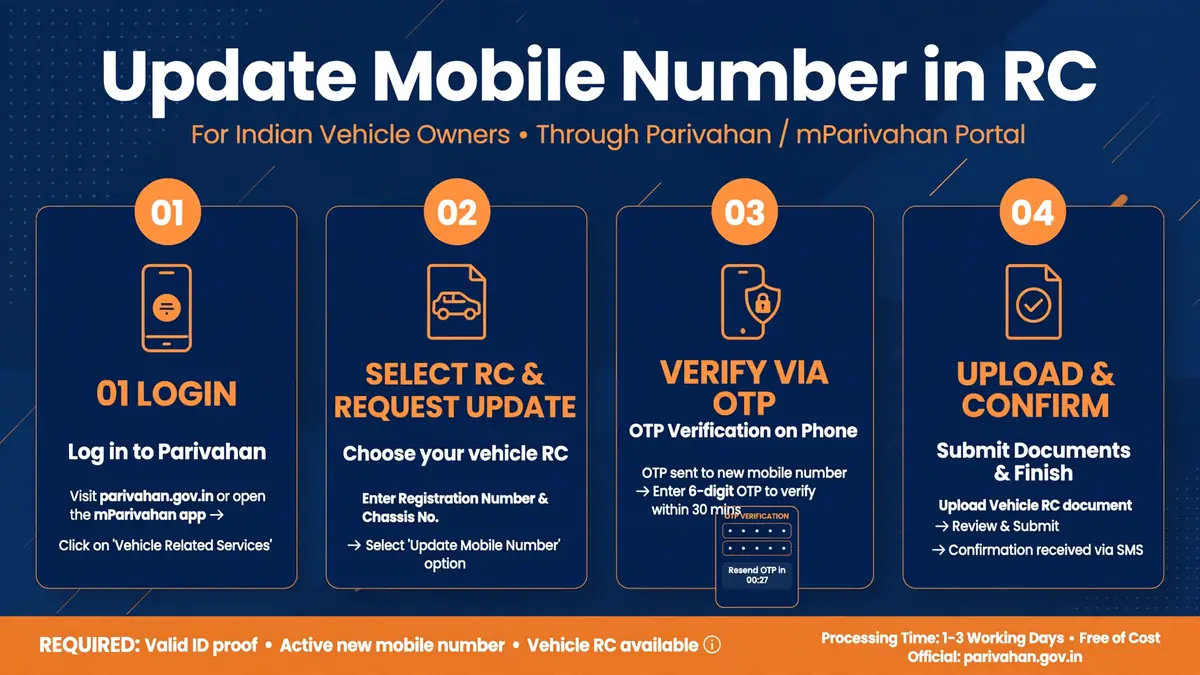
Where your state offers the service online, the flow usually looks like this:
- Go to the Vahan portal and select your state and RTO.
- Open Vehicle Related Services and look for the mobile number update or contact details update option. The exact label varies by state.
- Enter your vehicle registration number and the chassis number or engine number details the portal asks for to verify ownership.
- Enter the new mobile number, then verify it with the OTP sent to that number.
- Submit the request and save the acknowledgement receipt and application number, which you can track using our VAHAN application status by receipt number guide.
- Check the record again after a few working days to confirm the new number is showing.
Open the VAHAN portal
Go to vahan.parivahan.gov.in and select your state and RTO.
Open Vehicle Related Services
Look for the mobile number update or contact details update option; the exact label varies by state.
Enter vehicle details
Enter your vehicle registration number and the chassis or engine number details the portal asks for to verify ownership.
Verify the new number
Enter the new mobile number and verify it with the OTP sent to that number.
Submit and save the acknowledgement
Submit the request and save the acknowledgement receipt and application number.
Confirm after a few days
Check the record again after a few working days to confirm the new number is showing.
Updating the Number at the RTO
The RTO route works everywhere and is the right choice when the old number is lost, the online option is unavailable, or the portal rejects your request. Carry your original RC (or a printout of the digital RC from mParivahan or DigiLocker), your Aadhaar card or other accepted identity proof, and proof of the new mobile number, such as the SIM in your name. Some RTOs ask for a simple written application stating the old and new numbers and the reason for the change.
At the counter, the clerk will verify your documents, update the record in the VAHAN system, and give you an acknowledgement receipt. The change usually reflects in the online record within a few working days, though it can take longer if the RTO batches updates. Keep the receipt until you have verified the new number online, and test it by requesting an OTP login on the portal.
Documents You May Need
| Document | Why it is asked for |
|---|---|
| Registration Certificate (RC) | Proves the vehicle and its current record. |
| Aadhaar card or other identity proof | Proves you are the registered owner. |
| New mobile number in your name | The number must belong to the owner, so OTP verification works. |
| Written application (RTO route) | States the old number, new number, and reason for change. |
| Vehicle insurance or PUC (sometimes) | Some counters ask for these as supporting proof of active ownership. |
Requirements vary by RTO, so carry originals plus one photocopy set.
What If You No Longer Have the Old Number?
This is the most common worry, and it is fixable. The online OTP route may fail here, because the portal can send the verification code to the old number, but the RTO counter route does not depend on the old number. Visit the RTO with identity proof and the RC, explain that the old number is inaccessible, and file the update in person. The clerk verifies you as the owner from documents, not from the old SIM, and updates the record to the new number.
The same logic applies to a used vehicle bought with the previous owner’s number still on record. Only the registered owner can authorise the change, so if the transfer has not been completed, finish the ownership transfer first, then update the mobile number in your own name.
How to Verify the Update Worked
Do not assume the change is live because you received a receipt. After a few working days, check the vehicle record on the VAHAN portal or the mParivahan app and confirm the new number is shown. Then test it properly: request an OTP login on the portal and confirm the code arrives on the new number. Also check that a service SMS, such as a status update, reaches the new number.
If the old number still shows after a week, return to the RTO with your acknowledgement receipt and ask for the file status. Keep the receipt until the verification passes, because it is your proof if the update needs to be re-entered.
Common Problems and Fixes
If OTPs do not arrive on the new number, check that the number is active, has network coverage, and is not blocking transactional SMS, then retry after a few minutes.
If the online service option is missing for your state, that is a rollout gap, not an error on your part, so use the RTO route. And if your RC status check shows a suspended or blacklisted record, resolve that issue first, because the RTO may not process contact updates on a blocked record until the underlying issue is cleared.
Frequently Asked Questions
Can I update the mobile number in my RC fully online?
In many states, yes, through the VAHAN portal with OTP verification on the new number. Availability varies by state and RTO, so if the option does not appear for your state, use the RTO counter route instead.
Is there a fee for updating the mobile number in RC?
Many RTOs process a contact details update without a service fee, but some states charge a nominal fee for record updates. Check the fee shown on the portal or at the counter before submitting, and keep the payment receipt if a fee applies.
How long does the mobile number update take?
Online updates usually reflect within a few working days. RTO counter updates can take a few days to a week, depending on how the office batches records. Verify online before assuming it is done.
What if my old mobile number is lost or disconnected?
Visit the RTO in person with your RC and identity proof. The counter update does not depend on receiving an OTP on the old number, because ownership is verified from documents.
Can I update the mobile number for a vehicle I just bought?
First complete the ownership transfer into your name, then update the mobile number. Updating it before transfer would put your number on the previous owner’s record, which creates confusion for both parties.