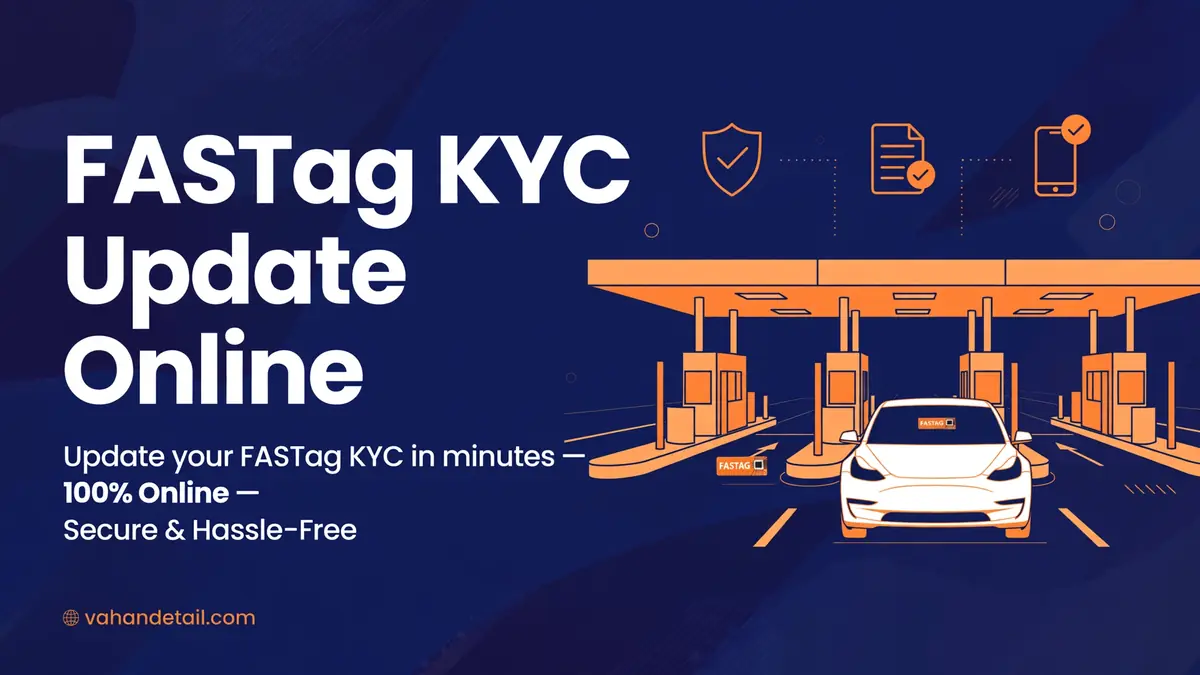
FASTag KYC Update Online: How to Update KYC and Check Status (2026)
FASTag KYC Update Online: How to Update KYC and Check Status (2026)
A FASTag KYC update is the step that keeps your FASTag active, and it is done through your FASTag issuer, which is the bank or wallet provider that issued your tag, not through a single central portal. If your KYC is incomplete, your tag can be deactivated or blacklisted, which means toll deductions fail and you may be charged double toll at the plaza. The good news: checking and updating KYC online usually takes a few minutes inside your issuer’s app or website, with OTP verification and a document upload where needed.
This guide explains how to find your issuer, check your KYC status, update it step by step, and fix the most common problems. It pairs with our FASTag status check guide, which covers the tag’s overall active or blacklisted state, and our FASTag recharge guide for wallet top-ups.
What FASTag KYC Means
KYC, or Know Your Customer, is the identity verification your issuer must hold for your FASTag account. Under the National Highways Authority of India (NHAI) rules, including the One Vehicle One FASTag initiative, each vehicle should have a single active FASTag, and that tag’s KYC must be complete and linked to the correct vehicle registration number. The issuer collects your identity details, vehicle registration details, and contact details, and verifies them against official records.
How to Check Your FASTag KYC Status
Start by identifying your issuer. It is the bank or app you used to buy the tag, and it usually appears in your FASTag app, on your toll statements, or in SMS alerts from the issuer. Common issuers include major banks and wallet providers, and your issuer’s app or customer portal is where KYC status lives.
- Open your issuer’s FASTag app or website and log in with your registered mobile number and OTP.
- Open your FASTag account or wallet section and look for KYC status, profile verification, or account status.
- Read the status carefully: Complete or Verified means you are fine, while Pending, Incomplete, or Action Required means you need to update.
- Check the vehicle number linked to the tag at the same time. A mismatch between the tag and the vehicle is a separate problem that also needs fixing.
You can also check through the MyFASTag app or the NETC FASTag portal for general tag information, but the KYC update itself is completed with your issuer, so the issuer’s app is the authoritative place for status.
How to Do a FASTag KYC Update Online
The flow is similar across issuers, with small label differences:
- Log in to your issuer’s FASTag app or website with your registered mobile number and OTP.
- Go to the KYC, profile, or verification section of your FASTag account.
- Choose Update KYC or Complete KYC, and select the document type the issuer asks for, usually Aadhaar, PAN, driving licence, or passport, depending on the issuer’s requirements.
- Upload a clear photo or scan of the document, and enter the details exactly as shown on it, including name spelling and document number.
- Verify with the OTP sent to your registered mobile number, and submit.
- Save the acknowledgement or reference number, and check the status again after 24 to 48 hours, because verification is not always instant.
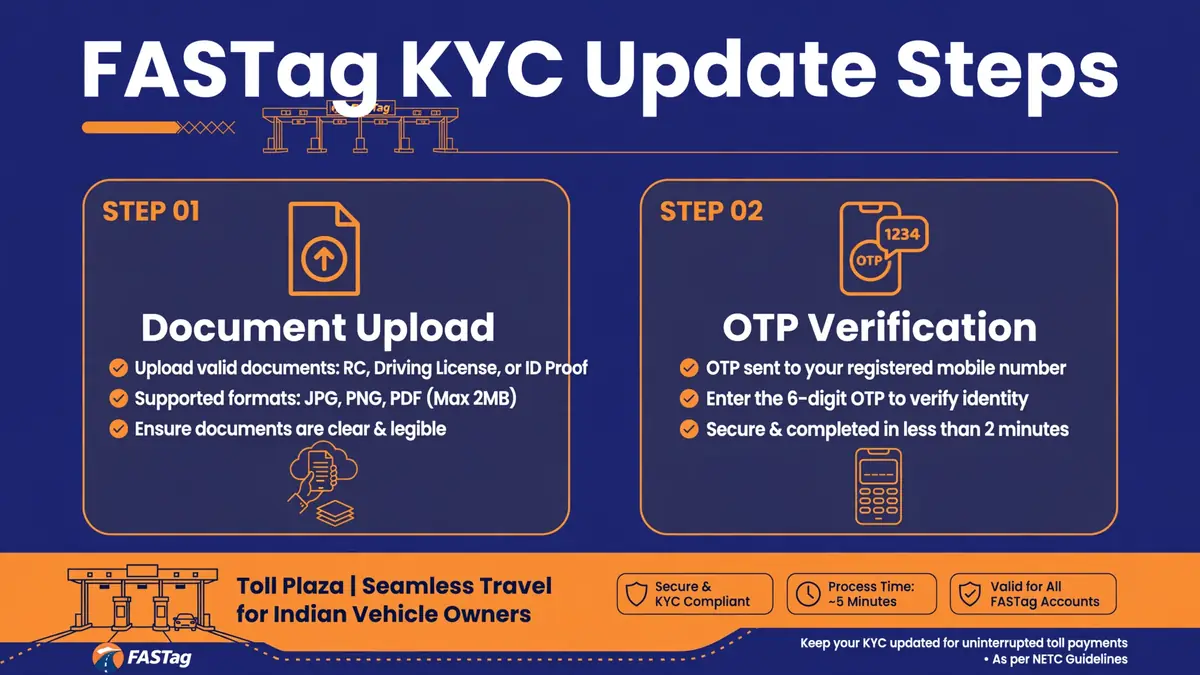
Log in to your issuer app or website
Log in with your registered mobile number and OTP.
Open the KYC or profile section
Go to the KYC, profile, or verification section of your FASTag account.
Choose a document type
Choose Update KYC or Complete KYC and select the document type, usually Aadhaar, PAN, driving licence, or passport.
Upload the document and enter details
Upload a clear photo or scan and enter the details exactly as shown on the document.
Verify with OTP and submit
Verify with the OTP sent to your registered mobile number, then submit.
Save the acknowledgement and recheck
Save the acknowledgement or reference number and check the status again after 24 to 48 hours.
Documents You May Need
| Document | Typical use |
|---|---|
| Aadhaar card | Identity and address proof for full KYC. |
| PAN card | Identity proof, often asked alongside Aadhaar. |
| Driving licence or passport | Alternative identity proof where accepted. |
| Vehicle RC | Proves the vehicle registration number linked to the tag. |
| Registered mobile number with OTP access | Required for verification at every step. |
Do not upload documents through links in unsolicited SMS or WhatsApp messages. Only update KYC inside your issuer’s official app or website, or through a link you opened yourself from the issuer’s official site, because fake KYC update messages are a known fraud route.
What Happens If FASTag KYC Is Incomplete
An incomplete KYC tag can be deactivated or blacklisted by the issuer under NHAI rules, which means the tag will not be read as valid at toll plazas. In that case, you may be charged double the toll fee for cash or invalid tag passage, and you will need to fix KYC and recharge before normal deductions resume. A blacklisted tag is also a warning sign to check before a long highway trip, because discovering it at the plaza is the worst possible time.
FASTag KYC After Buying a Used Vehicle
This is a frequent trap. A FASTag belongs to the previous owner’s account, not to the vehicle in a transferable sense, so a buyer should not simply keep using the seller’s tag. Close or surrender the old tag through the seller’s issuer if you are the seller, and as a buyer, apply for a fresh FASTag in your own name with your own KYC, linked to the transferred registration. Our FASTag annual pass guide explains pass activation for the new tag, and the ownership transfer itself is covered in our vehicle ownership transfer guide.
Common KYC Problems and Fixes
If your KYC update stays Pending for more than a few days, first check that the document photo was clear and the details matched exactly, including name spelling. A mismatch between the document name and the account name is the most common rejection reason. Re-upload a clearer copy if needed, and contact the issuer’s FASTag customer care with your reference number if it stays stuck.
If the issuer says your tag is already linked to another vehicle, you may have duplicate tags for one vehicle, which the One Vehicle One FASTag rule discourages. Surrender the extra tag through its issuer and keep only one active tag per vehicle. If OTPs do not arrive, check that your registered mobile number is current with the issuer, not just with your vehicle RC record, because the two records are separate.
Frequently Asked Questions
Where do I update FASTag KYC?
With your FASTag issuer, which is the bank or wallet provider that issued your tag, through its official app or website. There is no single central KYC portal for all issuers.
How do I know if my FASTag KYC is complete?
Log in to your issuer’s FASTag app or portal and check the KYC or account verification status. Complete or Verified means you are fine, while Pending or Incomplete means action is needed.
How long does a FASTag KYC update take?
Submission takes a few minutes, and verification usually completes within 24 to 48 hours, though it can take longer if documents need manual review. Check the status again after two days.
Can I update FASTag KYC without Aadhaar?
It depends on your issuer. Many issuers accept PAN, driving licence, or passport as alternatives, but Aadhaar is the most commonly accepted document. Check your issuer’s accepted document list before starting.
What happens if I do not update my FASTag KYC?
Your tag can be deactivated or blacklisted, toll deductions can fail, and you may be charged double toll at plazas. Complete KYC before a highway trip to avoid surprises.
I bought a used car with a FASTag already on it. Can I use it?
No, not as your own. Get a fresh FASTag in your name with your KYC after the ownership transfer, and ask the seller to close their tag, so the vehicle has exactly one active tag under the correct owner.