FASTag Recharge Online: UPI, Net Banking and MyFASTag App (2026)
Yes, you can recharge your FASTag online in two to three minutes using UPI, net banking, or a debit card. You only need your registered mobile number plus your vehicle number or FASTag wallet ID, and the balance usually shows up within a few minutes. The MyFASTag app from NHAI works for tags issued directly by IHMCL, while bank-issued tags are recharged through the issuing bank’s own app or website.
What You Need Before You Recharge
Keep these three things ready before you start:
- The mobile number registered with your FASTag (the OTP comes here).
- Your vehicle registration number or the FASTag wallet ID printed on the tag.
- UPI app, net banking access, or a debit or credit card in your name.
If you have changed your mobile number since buying the tag, update it with your issuing bank first. An OTP goes to the registered number at every recharge, so an old number blocks the whole process.
How to Recharge FASTag Online via UPI (Step by Step)
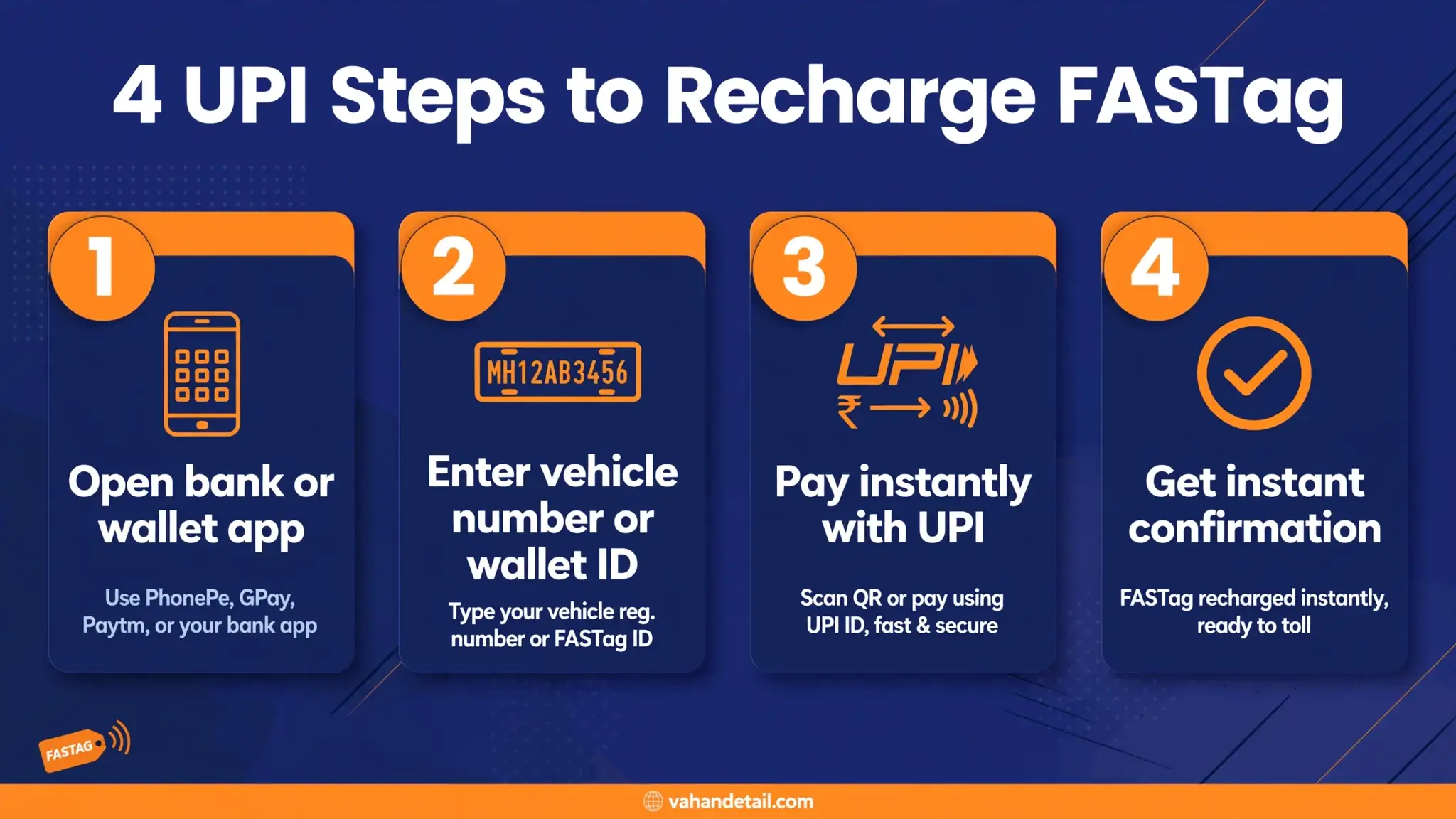
UPI is the fastest way to top up. The exact screens differ slightly between banks, but the flow is the same everywhere:
- Open your issuing bank’s FASTag section (in the bank app, on its website, or through the MyFASTag app if your tag was issued by IHMCL/NHAI)
- Select the recharge or top-up option and choose your vehicle from the linked tags list.
- Enter the amount you want to add.
- Pick UPI as the payment method. You will see a collect request on your UPI app.
- Approve the collect request in your UPI app (Google Pay, PhonePe, BHIM, or your bank’s UPI) and enter your UPI PIN.
- Wait for the success screen and save the transaction reference number.
The balance normally updates within five to fifteen minutes. Some issuers also let you recharge a FASTag issued by another bank through the Bharat BillPay system inside popular payment apps, using the vehicle number alone. Check that your issuer supports it before relying on it.
Open your bank’s FASTag section
Open your issuing bank’s FASTag section in the bank app, on its website, or through the MyFASTag app if your tag was issued by IHMCL/NHAI.
Select recharge and choose vehicle
Select the recharge or top-up option and choose your vehicle from the linked tags list.
Enter the amount
Enter the amount you want to add.
Pick UPI as payment method
Pick UPI as the payment method. You will see a collect request on your UPI app.
Approve the collect request
Approve the collect request in your UPI app (Google Pay, PhonePe, BHIM, or your bank’s UPI) and enter your UPI PIN.
Save the reference number
Wait for the success screen and save the transaction reference number.
Recharge Through the MyFASTag App
The MyFASTag app is the official NHAI/IHMCL app for tags issued directly by IHMCL. Here is how it works:
- Install MyFASTag from the Play Store or App Store and sign in with your registered mobile number.
- Link your FASTag using the vehicle number or the tag ID if it is not already linked.
- Tap Recharge, enter the amount, and choose your payment method (UPI, net banking, or card).
- Complete the payment and check the updated wallet balance on the app’s home screen.
MyFASTag also shows your toll transaction history, which is useful when a deduction looks wrong and you want the reference number before raising a dispute with your issuer.
Recharge via Net Banking or Debit Card
If you prefer net banking or a card:
- Go to your issuing bank’s FASTag portal (the link is on the bank’s website under the FASTag section).
- Log in with your registered mobile number and OTP, or with your customer ID.
- Select the vehicle, enter the recharge amount, and choose net banking or card.
- Complete the payment through your bank’s secure page and note the reference number.
Most banks also accept standing instructions or auto-recharge. If you drive on toll roads daily, setting an auto top-up trigger (for example, recharge automatically when the balance drops below a set level) saves you from a low-balance surprise at the plaza.
Minimum Recharge and Wallet Limits
Two numbers matter here, and both depend on your issuer:
- Minimum recharge: most issuers set it at 100 rupees, a few at 200 rupees. The portal shows the minimum on the payment screen.
- Maximum wallet balance: for full-KYC FASTag wallets this is commonly 1,00,000 rupees, in line with prepaid instrument norms. Keep what you need for your travel plus a buffer, not the maximum.
A low balance does not just slow you down. If your tag has insufficient balance at a toll plaza, the transaction may be declined and you could end up paying the toll in cash, sometimes with an additional charge depending on the plaza’s policy. Recharge before long trips.
What to Do When a Recharge Fails
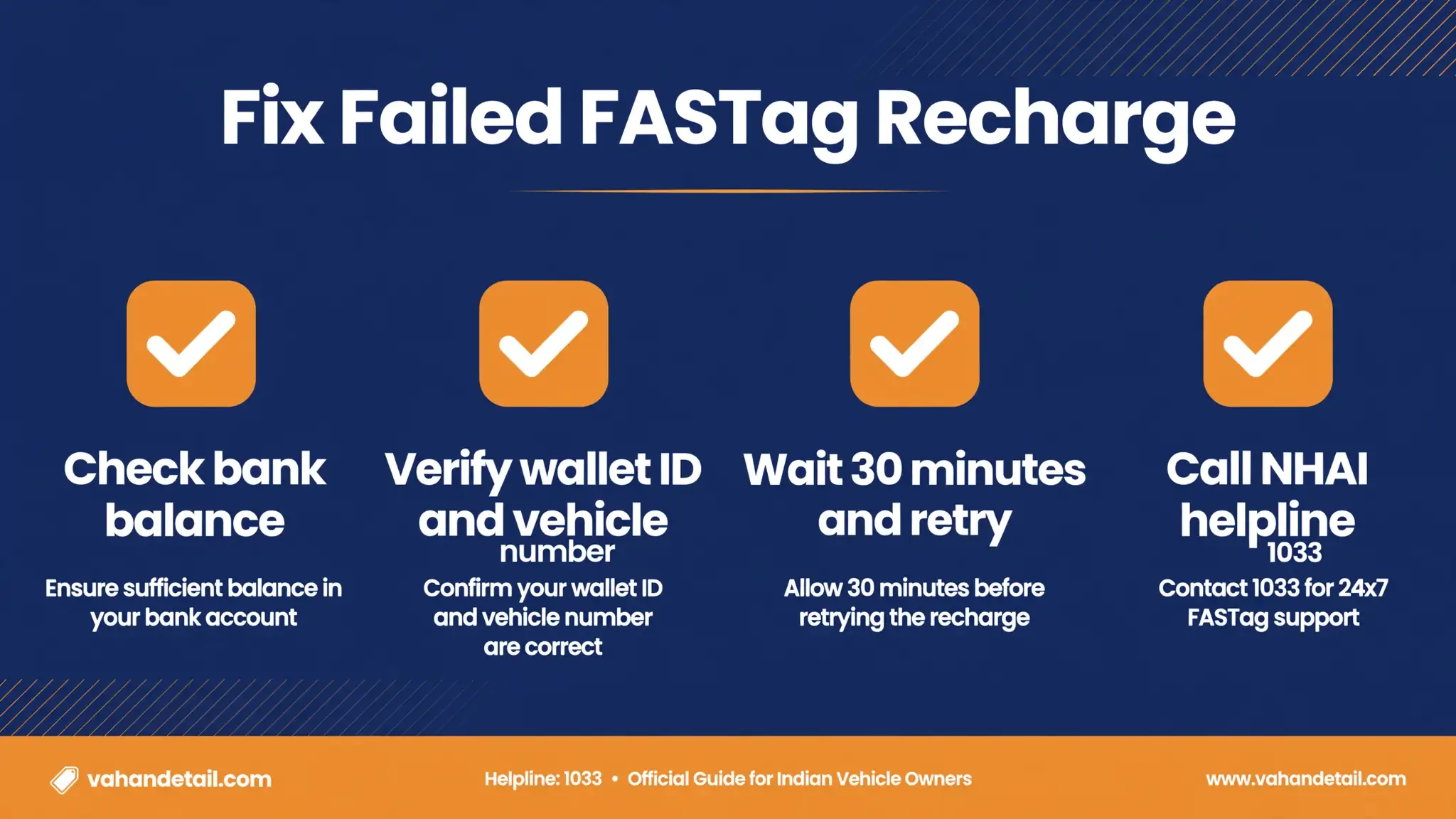
Failed recharges are annoying but almost always temporary. Work through this checklist:
- Wait 30 minutes. Bank-side settlement delays are the most common cause, and the balance often appears on its own.
- Check your bank statement. If the money left your account but the FASTag balance did not update, the amount is usually auto-refunded within a few working days.
- Note the reference number. You need it for any complaint, so screenshot the failed payment screen.
- Contact your issuer’s FASTag customer care. If the refund does not arrive within a week, raise a dispute with the transaction reference number.
- Never recharge twice quickly for the same trip unless you are sure the first attempt failed without debiting you. Double recharges mean double deductions and a refund wait.
If a deduction at a toll plaza looks wrong, dispute it with your issuing bank using the transaction details from the MyFASTag app or the bank’s statement, not at the toll booth.
How to Check Your FASTag Balance
Four quick ways:
- The MyFASTag app or your bank’s FASTag portal (most accurate).
- SMS alerts: issuers send a balance SMS after every toll deduction.
- The issuing bank’s FASTag customer care number.
- NHAI’s national highway helpline 1033 for general FASTag queries.
For related reading, our guide on the FASTag annual pass price and activation covers the yearly pass option for frequent highway users, and the barrier-free MLFF tolling explainer explains how tolling will work without plazas in the coming years. You can verify your vehicle’s registration and tag linkage status alongside a Vahan status check. Official toll and highway information is available on the Parivahan portal and Vahan portal.
What is the minimum FASTag recharge amount online?
Most issuers set the minimum recharge at 100 rupees, while a few set it at 200 rupees. The exact minimum appears on the recharge screen before you pay.
How long does a FASTag recharge take to reflect?
Usually five to fifteen minutes. During bank maintenance windows or heavy traffic it can take up to an hour. If the balance has not updated after a few hours and the money left your account, contact your issuer with the reference number.
Can I recharge FASTag with UPI?
Yes. UPI is supported by almost every issuer, either inside the bank’s own FASTag portal or through the MyFASTag app for IHMCL-issued tags. Some payment apps also support FASTag recharge through Bharat BillPay using just the vehicle number.
What happens if my FASTag recharge fails but money is deducted?
The amount is normally auto-refunded to your source account within a few working days. If it does not arrive, raise a dispute with your issuing bank’s FASTag customer care using the transaction reference number.
Can I recharge someone else’s FASTag?
Yes, as long as you know their vehicle number or wallet ID. The recharge goes to the tag linked to that vehicle, regardless of whose UPI or card pays for it.
Is there a maximum FASTag wallet balance?
For full-KYC wallets the commonly applied ceiling is 1,00,000 rupees. There is no benefit in loading the maximum unless you genuinely need it for heavy travel.