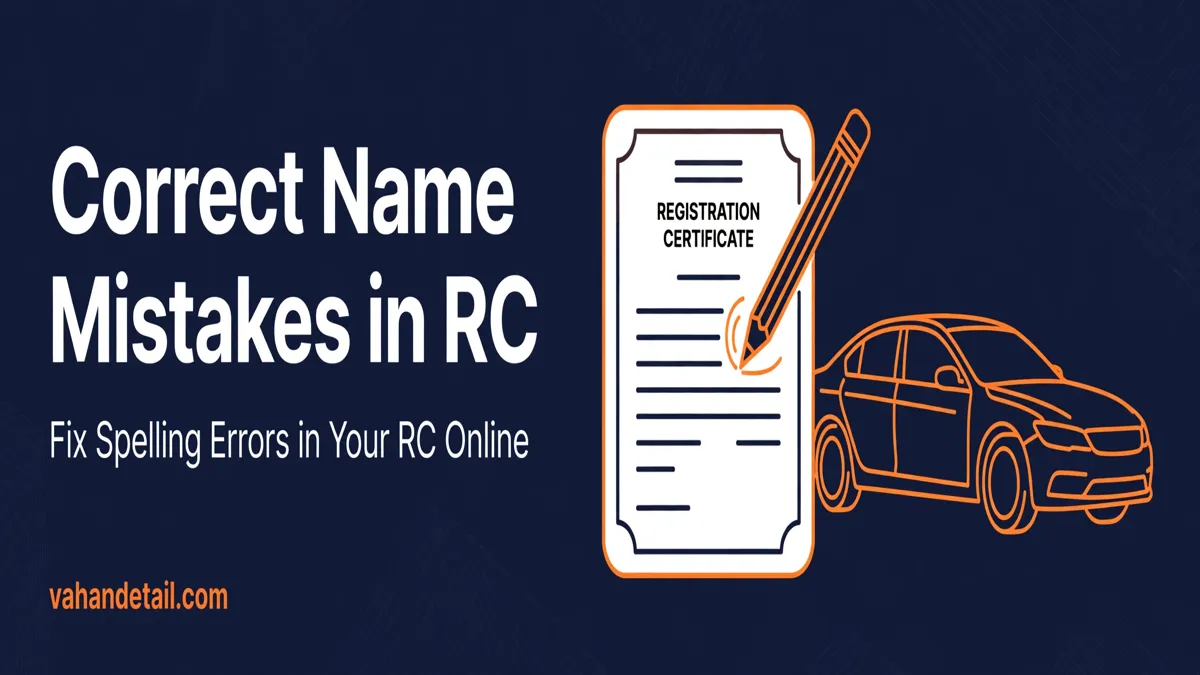
How to Correct Name or Spelling Mistakes in RC Online (2026)
A RC correction name spelling fix can usually be requested online through the VAHAN vehicle services on the Parivahan portal, or in person at your registering RTO if the change is large or the portal does not offer the service for your state. The process is straightforward for small spelling errors, but it needs documents that prove the correct spelling, and the corrected RC is only valid once the RTO approves the change.
This guide explains when you can correct an RC online, when an RTO visit is unavoidable, the exact steps on VAHAN, the documents you will need, and the mistakes that cause most applications to get delayed or rejected.
What Counts as an RC Name or Spelling Correction
An RC correction covers errors in the record printed on your Registration Certificate. The most common cases are:
- A spelling mistake in the registered owner’s name, such as “Ramesh” printed as “Rameshh” or “Kaur” printed as “Kour”
- A single wrong letter in the owner’s name, father’s name, or another personal detail on the RC
- A name that was entered differently from the owner’s official identity documents at the time of registration
- Other record errors on the RC, such as a wrong address detail or a clerical error in the vehicle record
This is different from changing the owner of a vehicle after a sale, which is a transfer of ownership, and it is different from changing your address after moving house. If you have moved, read our guide on how to change address in RC online with Form 33 instead, because that follows a different service and document set.
Before you apply, check the current record first. Our guide to vehicle registration details check online shows how to view the exact details held against your vehicle, so you can confirm what is wrong before you request a change.
When You Can Correct an RC Online vs When an RTO Visit Is Needed
Online correction is possible in many states through the VAHAN vehicle-related services, but it is not available everywhere, and it does not cover every kind of change. Use this quick comparison to decide which route applies to you.
| Situation | Likely route |
|---|---|
| Small spelling error in the owner name, matching your Aadhaar or PAN | Online through VAHAN in most states. |
| One or two letters wrong in the name on the RC | Online through VAHAN in most states. |
| Name differs substantially from your identity documents | RTO visit likely, affidavit usually required. |
| Name change after marriage, divorce, or a legal name change | RTO visit, with supporting legal documents. |
| Your state or RTO does not list the correction service online | RTO visit at the registering authority. |
| Record error that the portal cannot validate, such as a wrong chassis entry | RTO visit, with physical verification possible. |
If the portal does not show a correction option for your state, do not try to force it through a different service. Applying under the wrong service is one of the most common reasons for rejection, and a rejected application wastes the fee and the waiting time. Visit the RTO that issued the RC, with the original documents, and ask for the correction counter.
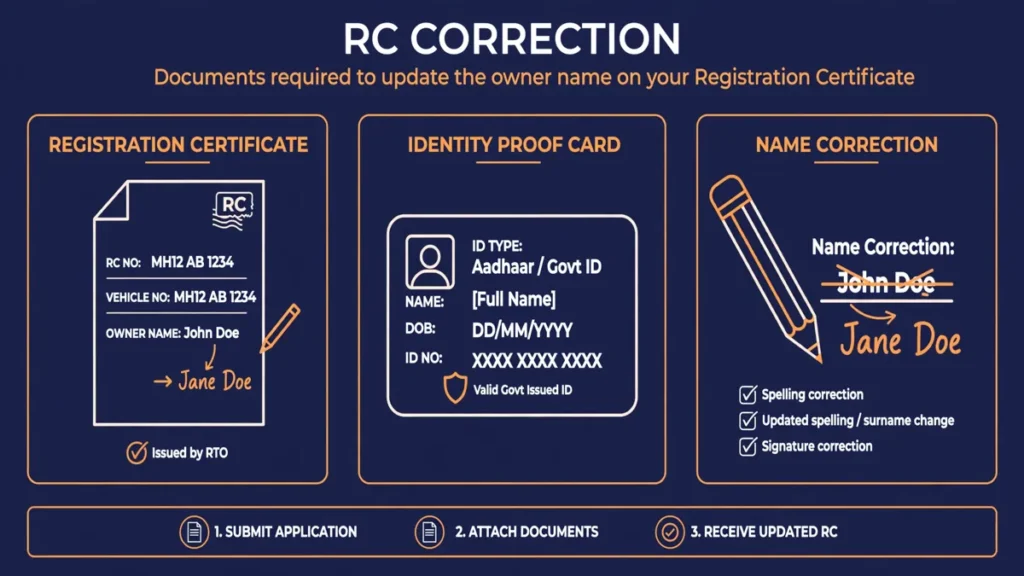
Documents Needed for RC Name Correction
Gather these before you start the application, because the portal asks you to upload them during the process, and an incomplete upload stalls the application at the verification stage.
- Original RC, either the smart card or the paper booklet, whichever your state issues
- ID proof showing the correct spelling, such as Aadhaar card, PAN card, passport, or voter ID, with the name spelled exactly as it should appear on the corrected RC
- Address proof, if the RTO asks for it alongside the identity document
- Affidavit, in cases where the name on the RC differs substantially from the name on your identity documents, or where the RTO needs a sworn statement explaining the difference
- Supporting document showing the correct spelling, such as a passport, PAN card, or school certificate, particularly when the difference between the RC and your ID is more than a minor typo
- Vehicle insurance and PUC certificate, which some RTOs ask to see as part of verifying the vehicle record
A useful rule of thumb: the name you want on the corrected RC must match your identity proof exactly, letter for letter. If your Aadhaar itself carries the wrong spelling, correct the Aadhaar first, because the RTO will treat the identity document as the source of truth and will not accept a correction that contradicts it.
RC Correction Types at a Glance
| Correction type | What changes | Proof usually needed |
|---|---|---|
| Small spelling error | One or two wrong letters in the owner’s name | ID proof showing the correct spelling. |
| Name recorded differently | Name on RC differs from identity documents | ID proof plus the original RC. |
| Major name change | A substantially different name, not a typo | ID proof, affidavit, and supporting records as asked by the RTO. |
| Other detail error | A wrong entry in another personal detail on the RC | The document that proves the correct detail. |
How to Correct Name or Spelling Mistakes in RC Online: Step by Step
The steps below follow the standard VAHAN flow. Screen labels can vary slightly by state, because each state’s transport department configures its own services on the portal, but the sequence is the same in most cases.
Step 1: Open the Parivahan portal and choose vehicle-related services
Go to the Parivahan portal and open the vehicle-related services section. This is the national gateway that routes you to your state’s transport services.
Step 2: Select your state and RTO
Choose your state from the list, then select the RTO that issued the RC. This matters, because only the registering RTO can approve a correction to the record it issued. Selecting the wrong RTO will send your application to the wrong office and delay it.
Step 3: Enter the registration and chassis details
Enter the vehicle registration number and the last five digits of the chassis number, as printed on the RC. The portal uses these to pull up the vehicle record. Double check both entries, because a typo here either fails to find the record or, worse, pulls up a different vehicle.
Step 4: Verify with OTP
Enter your registered mobile number and complete the OTP verification. The OTP goes to the mobile number linked to the vehicle record, so if you have changed your number since registration, update it first or use the RTO route instead.
Step 5: Select the correction service
From the list of available services, choose the correction/change service for the RC record. Read the service description carefully before proceeding, and make sure you are selecting the correction option, not an address change, ownership transfer, or duplicate RC service. Selecting the wrong service is a frequent and avoidable mistake.
Step 6: Enter the corrected details and upload documents
Type the name exactly as it appears on your identity proof, and upload clear scans of the RC, the ID proof showing the correct spelling, and any other document the portal asks for, including an affidavit where applicable. Upload each document in the slot meant for it, and check that every scan is fully visible, not cropped at the edges.
Step 7: Pay the fee shown on the portal
Pay the fee shown on the portal for the service. The fee varies by state and service, so do not rely on a figure quoted for another state. Keep the payment receipt and the application number, because you will need them to track the application and to follow up at the RTO if anything stalls.
Step 8: Submit and note the application number
Submit the application and save the acknowledgement. The application moves to the RTO for verification, and the RTO may contact you if a document is unclear or if physical verification is needed.
Fee and Processing Time for RC Correction
The fee for an RC correction is displayed on the portal during the application, and it varies by state, so treat any figure you see in an old blog post or video with caution. Pay only the amount the portal shows for your own application.
Processing time also varies by RTO. As a realistic expectation, a straightforward online correction typically takes a few working days to a few weeks, depending on the RTO’s workload, whether documents need extra verification, and whether the correction is minor or substantial. No portal or agent can guarantee an exact date, and anyone promising same-day correction is not describing the official process. If your application crosses a few weeks with no update, visit the RTO with your application number and payment receipt and ask for the status in person.
How to Verify the Correction After Approval
Once the RTO approves the change, verify the result before assuming the job is done:
- Download or view the updated RC details on the Vahan portal and check that the name is now spelled exactly as on your identity proof.
- Compare every field, not just the name, because a correction pass occasionally leaves another detail untouched.
- If your state issues a new smart card RC, collect it from the RTO or by post as applicable, and keep the old RC until the new one is in hand.
- Update your vehicle insurance record if the insurer holds the old spelling, so that future claims do not run into a name mismatch.
- Run a fresh status check using our guide to RC status check online to confirm the corrected record is what the system now shows.
If the corrected RC still shows an error, raise it with the RTO immediately with your application number, rather than filing a second correction application, which can create duplicate pending requests.
Common Mistakes That Delay or Reject an RC Correction
Most rejected applications fail for a small set of avoidable reasons:
- Mismatch with Aadhaar: the corrected name does not match the name on Aadhaar or the other ID proof submitted, so the RTO cannot approve it. Fix the identity document first.
- Wrong service selected: applying under address change, ownership transfer, or duplicate RC instead of the correction service. Reapplying under the right service is the only fix, and the earlier fee is usually not refunded.
- Unclear or cropped scans: uploading a photo where the name, document number, or edges are cut off. Scan in good light, keep all four corners visible, and check each upload before submitting.
- Missing affidavit: skipping the affidavit when the name difference is substantial. If the RTO’s document list mentions an affidavit for your case, include it.
- Wrong RTO selected: applying to an RTO other than the one that issued the RC. Only the registering RTO can amend its own record.
- OTP on an old mobile number: the OTP goes to the number linked to the vehicle record. If that number is no longer active, use the RTO counter route or update the linked number first.
RC correction name spelling: What to Do If the Portal Does Not Offer the Service
If your state’s VAHAN services do not list a correction option, the offline route is straightforward:
- Visit the RTO that issued the RC, and carry the original RC, original identity proof, address proof, and photocopies of each.
- Ask for the correction application form at the enquiry counter and fill in the corrected name exactly as on your identity proof.
- Attach an affidavit if the difference between the RC name and your identity proof is substantial, or if the counter staff advise it.
- Pay the fee at the counter, keep the receipt, and note the expected collection date given by the office.
- Collect the corrected RC on the date given, and verify the spelling on the spot before leaving the counter.
The offline route takes longer in most cases, because it depends on counter queues and manual verification, but it handles every case the portal cannot, including legal name changes and large corrections.
Frequently Asked Questions
Can I correct a spelling mistake in my RC completely online?
In many states, yes, for small spelling errors, through the VAHAN vehicle-related services on the Parivahan portal. If your state does not list the correction service, or the change is substantial, you will need to visit the registering RTO.
Which documents are needed to correct a name on the RC?
You need the original RC, an ID proof showing the correct spelling, such as Aadhaar, PAN, or passport, and address proof if asked. An affidavit is needed in some cases where the name on the RC differs substantially from your identity documents.
Does RC correction need an affidavit?
Not always. A minor typo that matches your identity proof usually does not need one. An affidavit is typically required when the name differs substantially, when the correction follows a legal name change, or when the RTO specifically asks for a sworn statement.
How long does an RC name correction take?
Processing time varies by RTO, and typically ranges from a few working days to a few weeks for a straightforward case. Complex cases, missing documents, or physical verification can extend this, and no exact timeline can be guaranteed.
What if my Aadhaar also has the wrong spelling?
Correct the Aadhaar first. The RTO treats your identity proof as the source of truth, so a correction that contradicts your Aadhaar will be rejected. Once the Aadhaar shows the correct spelling, apply for the RC correction with the updated document.
Can I correct the RC at any RTO, or only the issuing RTO?
Only the RTO that issued the RC can correct its record, so apply to that registering authority, whether online or in person. Applying to a different RTO will delay or reject the application.
Check the current RC record
View the exact details held against your vehicle and confirm what is wrong before you apply.
Open Parivahan vehicle services
Go to the Parivahan portal and open the vehicle-related services section.
Select state, RTO and verify
Select your state and issuing RTO, enter registration and chassis details, and complete OTP verification.
Select the correction service
Choose the correction or change service for the RC record, not address change or ownership transfer.
Enter corrected details and upload documents
Type the name exactly as on your identity proof and upload clear scans of the RC, ID proof and affidavit if applicable.
Pay, submit and verify
Pay the fee shown on the portal, submit and note the application number, then verify the corrected RC after approval.