Road Tax Check Online: Verify Vehicle Road Tax Payment Status (2026)
You can do a road tax check online by vehicle number on the official Parivahan portal, where the “Pay Your Tax” service shows your vehicle’s tax details, amount paid, and validity period. Road tax is a state subject in India, so the exact payment portal, tax rates, and validity rules differ by state, but the check itself takes under five minutes. This guide walks you through the online check, the state-wise payment routes, and why road tax status matters for ownership transfer, fitness renewal, and buying a used vehicle.
Road Tax Check Online: What the Online Check Shows
When you run a road tax check online on the Parivahan portal, the system pulls the tax record linked to your vehicle’s registration number. The details you will see include the amount of tax paid, the period the payment covers, whether the tax is fully paid or partially pending, and the mode of payment. For private vehicles, road tax is usually collected as a one-time lifetime tax at the time of first registration, valid for 15 years in most states. For commercial vehicles, road tax is typically paid quarterly or annually, and the portal shows each payment period separately.
Knowing how to check road tax status online is useful because unpaid road tax is one of the most common reasons vehicle transactions get stuck. Ownership transfer, duplicate RC issuance, and fitness certificate renewal can all be held up if the tax record shows pending dues. A quick check before you start any of these processes saves you a wasted trip to the RTO.
If you want to understand the other fields in your vehicle’s record alongside tax, our vehicle registration details guide explains what each entry means: https://vahandetail.com/vehicle-registration-details-check-online/
How to Check Road Tax Status Online on the Parivahan Portal
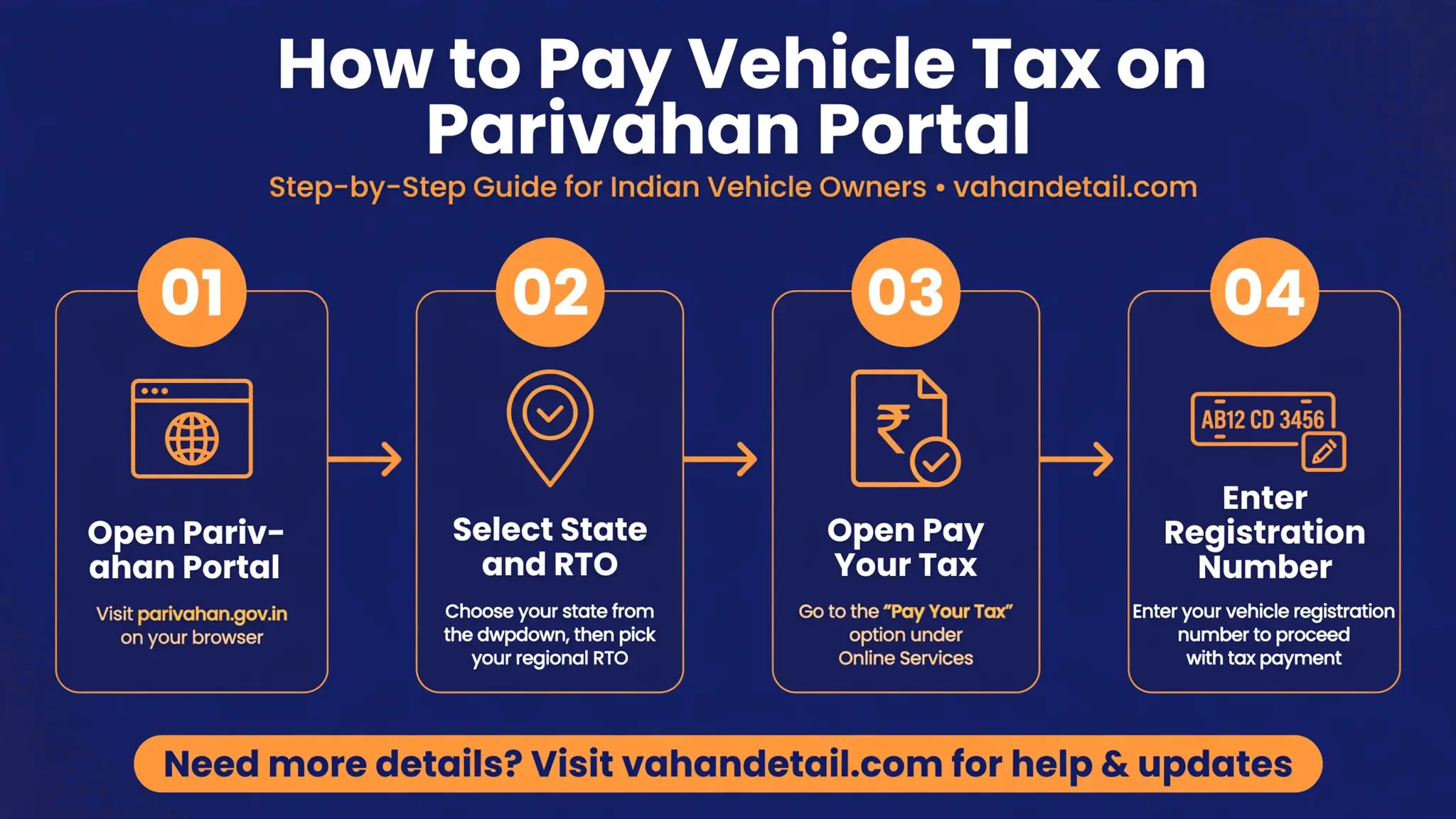
The national Parivahan portal connects to the VAHAN database and offers tax services for all states through a single flow. Here is the exact path.
Step 1: Open the Parivahan Sewa portal. Go to https://parivahan.gov.in and click on “Online Services”, then “Vehicle Related Services”. This takes you to the VAHAN services page.
Step 2: Select your state and RTO. Choose your state from the dropdown list, then select the RTO where your vehicle is registered. You will land on the citizen services dashboard for that state.
Step 3: Open the tax service. In the services menu, click on “Pay Your Tax” or “Pay Vehicle Tax” (the label varies slightly by state). This opens the tax details page.
Step 4: Enter your registration number. Type your vehicle’s registration number exactly as it appears on the RC, in the format state code, RTO code, series and number (for example, MH12AB1234). Some states also ask for the chassis number’s last five digits as a verification step.
Step 5: View the tax record. The portal displays your tax details: the amount paid, the tax period, and the tax validity. If tax is pending or a new period is due, the page shows the payable amount and lets you pay online through UPI, net banking, debit or credit card.
Step 6: Save the receipt. After a successful payment, download the tax receipt and keep it. It is the proof you will show at the RTO if the portal record ever shows a mismatch.
Note that the payment gateway and receipt format are managed by the state transport department, so the screen design can differ from state to state even though the flow is the same. If your state’s tax service shows an error, most states also run their own transport department websites where you can check and pay the same dues; the RTO information guide lists these portals: https://vahandetail.com/rto-information-online-india/
State-Wise Road Tax Payment Routes You Should Know
Since road tax is collected by states, the practical route depends on where your vehicle is registered. The table below summarises how it generally works. Rates and slabs change periodically, so treat these as the structure, not the current numbers, and confirm the exact payable amount on the portal.
| Vehicle type | How tax is collected | Typical validity | Where to check and pay |
|---|---|---|---|
| Private car or bike | One-time lifetime tax at registration, based on vehicle price slab | 15 years in most states | Parivahan “Pay Your Tax” or state transport portal |
| Commercial goods vehicle | Periodic tax, usually quarterly or yearly | Per period (quarter/year) | Parivahan “Pay Your Tax”, select permit-linked period |
| Commercial passenger vehicle | Periodic tax, often quarterly | Per period | Same as above |
| Electric vehicle | Many states offer full or partial exemption | As notified by the state | Check the state EV policy page on its transport portal |
In several states, the lifetime tax slab for private vehicles is based on the ex-showroom price, commonly falling between 8 and 15 percent of the price depending on the state and the slab the vehicle falls into. Two-wheelers usually have their own lower slabs. For vehicles registered in one state but used in another for more than 12 months, re-registration and the new state’s road tax apply, which is why the tax check matters before any interstate move. Our RC status guide shows how to track the registration side of such transfers: https://vahandetail.com/rc-status-check-online/
Why Road Tax Status Matters: Transfer, Fitness and Used-Vehicle Checks
Road tax is not just a payment formality. It is wired into several legal processes, and the most common problems vehicle owners face are all tax-related.
Ownership transfer. When a vehicle changes hands, the RTO checks that all dues, including road tax, are cleared before approving the transfer. Pending tax must be paid by the seller, or the transfer stalls. If you are buying, ask the seller for the tax receipt alongside the RC. The complete transfer process is explained here: https://vahandetail.com/vehicle-ownership-transfer-online-india/
Fitness certificate renewal. For commercial vehicles, the fitness certificate is renewed periodically, and road tax clearance is one of the documents the RTO verifies. Tax pending for previous quarters must be settled before the new fitness certificate is issued.
Used vehicle purchases. Unpaid road tax follows the vehicle, not the owner. A buyer who skips the tax check can inherit years of unpaid quarterly dues plus late penalties. Checking road tax status online before paying the seller is one of the cheapest protections you have.
Driving with tax dues. Operating a vehicle with unpaid road tax is a violation under the Motor Vehicles Act and can attract penalties, including seizure of the vehicle in some states during enforcement drives.
How can I check road tax status online by vehicle number?
Open https://parivahan.gov.in, go to Online Services, then Vehicle Related Services, select your state and RTO, and click “Pay Your Tax” or “Pay Vehicle Tax”. Enter your registration number to see the tax paid, the tax period, and the validity status.
Is road tax the same in every Indian state?
No. Road tax is a state subject. Rates, slabs, validity periods, and exemption rules differ from state to state, and the portal or screen you use can also differ. The Parivahan portal routes you to your state’s service so you see the right rules.
Is road tax a one-time payment or recurring?
For private vehicles, it is usually a one-time lifetime tax paid at registration, valid for 15 years in most states. For commercial vehicles, road tax is paid periodically, typically quarterly or annually, and each period must be paid on time.
Can I pay pending road tax online?
Yes. On the same “Pay Your Tax” page where you check the status, the portal calculates the payable amount (including any late fees the state applies) and accepts payment through UPI, net banking, or debit and credit cards. Download and save the receipt.
Does pending road tax block RC transfer or fitness renewal?
Yes. The RTO verifies that tax dues are cleared before approving ownership transfer, duplicate RC issuance, or fitness certificate renewal. Clear any pending tax before starting these applications.
What documents do I need for a road tax check?
Just your vehicle’s registration number for the online check. Keep the RC handy in case the portal asks for the chassis number as a verification step.
Open the Parivahan Sewa portal
Go to parivahan.gov.in and open Online Services, then Vehicle Related Services to reach the VAHAN services page.
Select your state and RTO
Choose your state from the dropdown, then select the RTO where your vehicle is registered to open the citizen services dashboard.
Open the tax service
In the services menu, click “Pay Your Tax” or “Pay Vehicle Tax” (the label varies slightly by state) to open the tax details page.
Enter your registration number
Type the registration number exactly as it appears on the RC, in the format state code, RTO code, series and number (for example, MH12AB1234); some states also ask for the chassis number’s last five digits.
View the tax record
The portal displays your tax details: the amount paid, the tax period, and the tax validity. If tax is pending or a new period is due, pay it online through UPI, net banking, debit or credit card.
Save the receipt
After a successful payment, download the tax receipt and keep it. It is the proof you will show at the RTO if the portal record ever shows a mismatch.