Telangana Vehicle Permit Check Online: Verify Permit Validity
A Telangana vehicle permit check lets you verify online whether a commercial vehicle holds a valid permit, what type of permit it carries, and when that permit expires. You can do this check using the vehicle registration number on the official transport portals, and the result helps you confirm that the vehicle is legally allowed to operate on its route. This guide walks you through the process step by step, explains what each detail in the result means, and shows you what to do if a permit shows as expired or missing.
What Is a Telangana Vehicle Permit Check
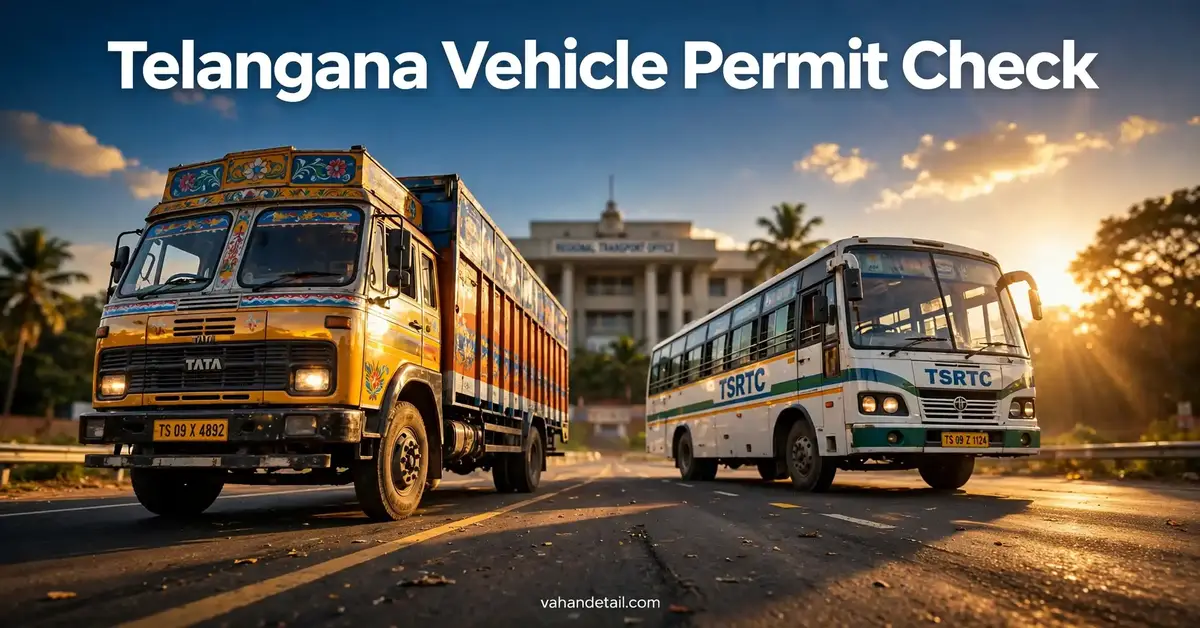
A vehicle permit is an official authorisation that allows a commercial vehicle, such as a goods carrier, taxi, bus, or auto rickshaw, to operate for hire or reward. Private cars used only for personal travel do not need this kind of permit, but any vehicle that carries passengers or goods for payment generally does. The permit records important facts, including the permit type, the area or route it covers, and its validity period.
A Telangana vehicle permit check is simply the online verification of those facts. Instead of visiting a transport office in person, you enter the vehicle number on a portal and view the permit details linked to that registration. This is useful for vehicle owners who want to confirm their own documents, for drivers who want to avoid trouble during enforcement checks, and for buyers who want to verify a commercial vehicle before purchase.
It is worth remembering that a permit is only one part of a vehicle’s legal paperwork. A vehicle also needs valid registration, insurance, fitness certification where applicable, and a pollution under control certificate. Checking the permit alone does not prove that every other document is in order, so treat it as one important check among several.
Why You Should Check Permit Validity Before a Trip
Running a commercial vehicle with an expired or invalid permit can lead to serious trouble on the road. Enforcement officers can stop the vehicle, seize documents, or take action under the Motor Vehicles Act. Even if you are not the owner, driving a vehicle whose permit has lapsed can create problems for you and for the people or goods you are carrying.
Checking permit validity before a trip gives you time to fix any problem. If you find that a permit is about to expire, you can start the renewal process early rather than discovering the issue at a checkpoint. If you are hiring a vehicle for a journey, a quick check gives you confidence that the operator is working within the rules.
Here are some common situations where this check is especially useful:
- Before starting a long commercial trip, so you do not face a stop midway
- Before buying a used commercial vehicle, so you know exactly what permit it carries
- Before renewing or transferring other vehicle documents, so your records stay consistent
- When you are managing a small fleet and want to track expiry dates in one place
- After a renewal, to confirm that the updated validity now appears online
A valid permit is the simplest proof that a commercial vehicle is authorised to operate. Keeping track of it protects your income, your passengers, and your business reputation.
Details You Can Verify in a Telangana Vehicle Permit Check
When you run the check, the portal typically shows a set of permit details linked to the registration number. The exact layout may vary between portals, but the core information is usually the same. The table below explains what each field means and why it matters.
| Detail shown | What it means | Why it matters |
|---|---|---|
| Permit number | The unique number assigned to the permit | Identifies the exact permit record for the vehicle |
| Permit type | The category of permit, for example goods or passenger | Shows what kind of operation the vehicle is allowed to do |
| Validity from and to | The dates during which the permit is active | Tells you whether the permit is current or expired |
| Permitted area or route | The region or route covered by the permit | Confirms the vehicle is not operating outside its authorised area |
| Vehicle class | The class of vehicle linked to the permit | Must match the actual vehicle being used |
| Owner details | The registered owner name shown on record | Helps buyers and operators confirm the record matches the vehicle |
If any detail looks wrong, for example the vehicle class does not match the vehicle in front of you, do not ignore it. A mismatch can indicate a data entry error, an outdated record, or a vehicle that has been modified since the permit was issued. In such cases, the safest step is to contact the concerned transport office or check the other vehicle records to confirm the correct position.
For a broader view of the same vehicle, you can also run a Telangana vehicle status check and a vehicle registration details check, which together give a fuller picture of registration, fitness, and permit status.
How to Do a Telangana Vehicle Permit Check Online
You do not need any special software for this check. You only need the vehicle registration number, a phone or computer with internet access, and a few minutes. The steps below describe the general online flow used on the official portals.
Before You Start
Keep the vehicle number ready in the correct format, including the state code and registration series. Double check each character before you submit, because a single wrong letter or digit can return no result or show details for a different vehicle. If you are checking someone else’s vehicle, make sure you have a genuine reason, such as a purchase or a hiring decision.
Step by Step Procedure
- Open the Telangana transport portal or the Parivahan portal on your device.
- Look for the vehicle related services section and choose the option for checking vehicle or permit details.
- Enter the full vehicle registration number exactly as it appears on the registration certificate.
- Complete any verification step shown on the screen, such as entering a captcha code.
- Submit the details and wait for the vehicle record to load.
- Look for the permit section in the result and note the permit type, number, and validity dates.
- Save a screenshot or note of the result for your own records, especially if you need it for a purchase or a fleet file.
After You See the Result
If the permit shows as valid and the dates cover your planned trip, you are good to go from the permit point of view. If it shows as expired, do not operate the vehicle commercially until the renewal process is complete and the updated validity appears online. If no permit detail appears at all, it may mean the vehicle is a private vehicle that does not need a permit, or that the permit record is not linked in that particular portal view. In that case, cross check on the other official portal before drawing a conclusion.
The Telangana transport portal is the state portal for Telangana transport services, while the Parivahan portal and the Vahan portal are the national platforms for vehicle related services. Using both state and national portals for a cross check is a sensible habit when a result looks unclear.
Understanding Permit Types in Telangana

Commercial vehicles in Telangana operate under different permit categories depending on what they do. A goods carriage permit covers vehicles that transport goods, while a passenger permit covers vehicles that carry people, such as contract carriages and stage carriages. Taxis and auto rickshaws have their own permit arrangements, and some permits are valid across a district while others cover the whole state or multiple states under national permit arrangements.
The permit type matters because it limits what the vehicle can legally do. A goods permit does not authorise passenger transport, and a permit valid only in one area does not authorise operation far outside that area. When you check a permit, read the type and the permitted area together, not just the expiry date. A permit can be technically valid in date yet still not cover the trip you are planning.
If you are buying a commercial vehicle, ask the seller which permit type it holds and whether that permit can be transferred or whether you will need to apply fresh after purchase. Rules for transfer and renewal can vary by permit category, so confirm the current position on the official portal or with the transport office before you pay. Never assume that a permit automatically transfers with the vehicle.
Common Problems and What to Do About Them
Most permit checks go smoothly, but a few problems come up regularly. Knowing them in advance saves time and worry.
- No record found: First, recheck the registration number for typing errors. If it is correct, try the other official portal, because records can display differently across platforms.
- Permit shows expired: Stop commercial operation until renewal is done. Check the renewal process on the official portal, and note that any fee or document requirement should be confirmed there, since fees and procedures can change.
- Details do not match the vehicle: Compare the result with the registration certificate. If the mismatch persists, visit or contact the transport office with the registration certificate and the permit document.
- Portal not loading: Try again after some time, clear your browser cache, or try a different browser. Transport portals can be slow during peak hours.
- Old permit still showing after renewal: Updated records can take time to reflect online. Keep your renewal receipt safe, and recheck after a few days before assuming there is an error.
A permit expiry date that is close should be treated as an action item, not a detail to ignore. Set a reminder a few weeks before expiry so renewal never becomes a last minute rush. Fleet owners often keep a simple spreadsheet of expiry dates for every vehicle, which makes this far easier to manage.
Telangana Vehicle Permit Check for Buyers and Fleet Owners
If you are buying a used commercial vehicle in Telangana, the permit check is part of proper due diligence. A vehicle may look well maintained and carry an attractive price, yet its permit may be expired, suspended, or limited to an area you do not operate in. Checking the permit before purchase helps you price the vehicle correctly and avoid inheriting a compliance problem.
Ask the seller for the permit document and compare it with the online result. Both should agree on permit number, type, and validity. If the seller cannot produce the permit document, treat that as a warning sign and investigate further before proceeding. Also verify the vehicle’s registration, insurance, fitness, and pollution certificate status, since a valid permit alone does not make a vehicle fully road legal.
For fleet owners, regular permit checks are a basic management habit. Checking every vehicle once a month, or at least once a quarter, catches expiries early and keeps the fleet compliant. It also helps when planning routes, because you can assign only vehicles whose permits cover the required area. A small amount of routine checking prevents costly disruptions, cancelled trips, and enforcement penalties.
An expired permit is one of the most avoidable compliance failures in commercial transport. It rarely happens suddenly, since the expiry date is known well in advance. The failure is almost always a missed reminder, not a surprise, which is why a simple tracking system matters so much.
Can I check a Telangana vehicle permit online for free?
Yes, viewing basic vehicle and permit details on the official portals is a free public service. You only need the vehicle registration number. Any fee applies to services like renewal or a new permit application, not to simply viewing the details, and the current fee for any service should be confirmed on the official portal.
What do I need to run a Telangana vehicle permit check?
You need the full vehicle registration number. No login is normally required just to view basic details. Keep the registration certificate nearby so you can confirm that the number you entered matches the official record exactly.
What should I do if the permit shows as expired?
Do not use the vehicle for commercial operation until the permit is renewed and the updated validity appears online. Start the renewal process through the official portal or the transport office, keep your renewal receipt safe, and recheck the online status after renewal.
Does every vehicle in Telangana need a permit?
No, private vehicles used only for personal travel do not need a commercial permit. Permits apply to vehicles used for hire or reward, such as goods carriers, taxis, buses, and auto rickshaws. If no permit detail appears for a private vehicle, that is normal.
Can a permit check confirm whether a vehicle is safe to buy?
It confirms the permit position, which is one important part of the picture. For a full check before buying, also verify registration, insurance, fitness, pollution certificate status, and any pending challans, and inspect the vehicle physically or through a trusted mechanic.
Follow these steps to check a Telangana vehicle permit online using the vehicle registration number.
Step 1
Open the Telangana transport portal or the Parivahan portal on your device.
Step 2
Look for the vehicle related services section and choose the option for checking vehicle or permit details.
Step 3
Enter the full vehicle registration number exactly as it appears on the registration certificate.
Step 4
Complete any verification step shown on the screen, such as entering a captcha code.
Step 5
Submit the details and wait for the vehicle record to load.
Step 6
Look for the permit section in the result and note the permit type, number, and validity dates.
Step 7
Save a screenshot or note of the result for your own records, especially if you need it for a purchase or a fleet file.